Updated October 2026
Socratic is gone. Here is what to use instead.
If you have been searching the App Store for Socratic, you have not missed it. The app is no longer available, and its website now sends you to Google Lens.
This page explains what happened, where Socratic's features went, and which apps are worth installing now, free ones included.
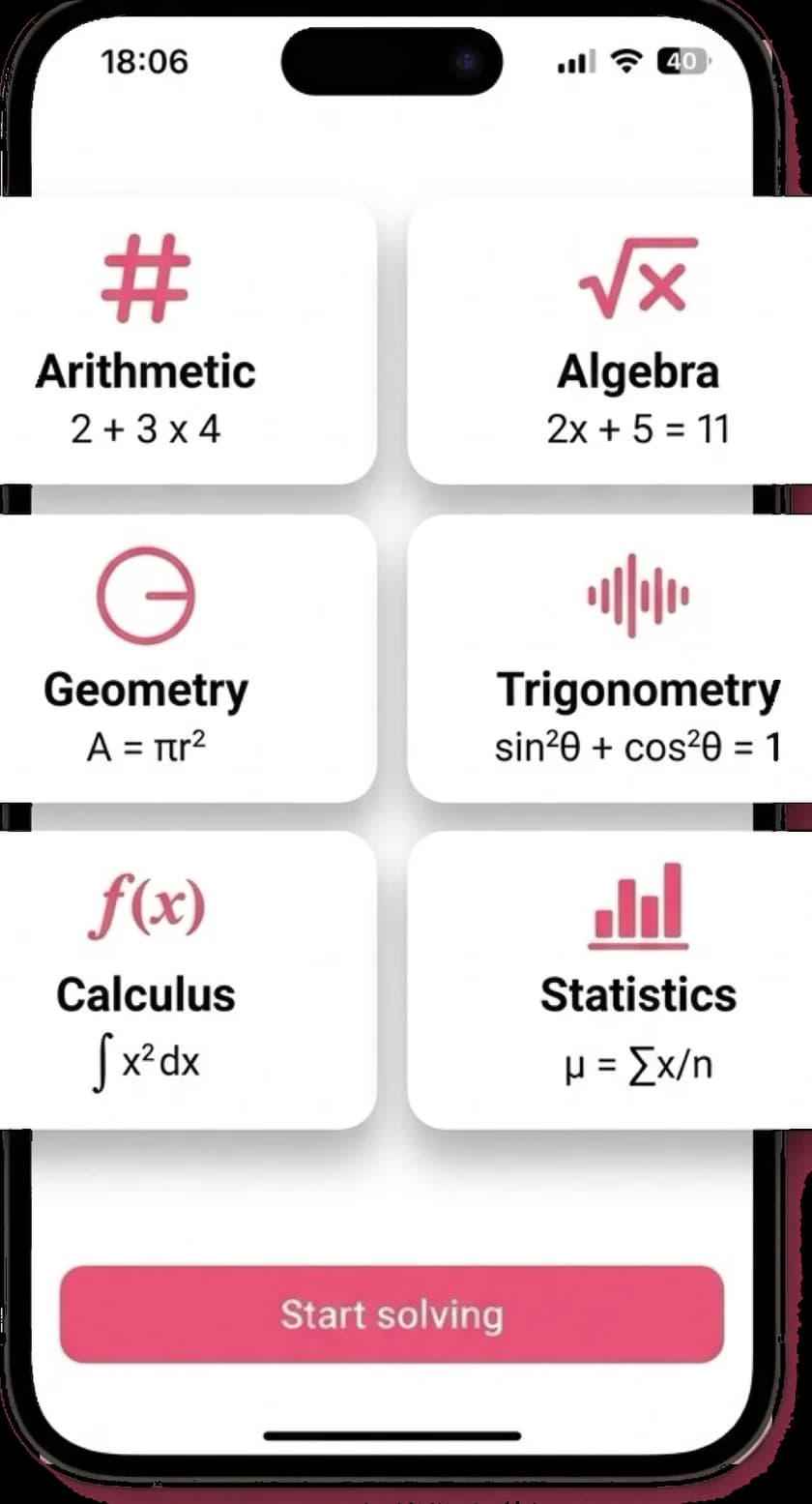
Disclosure: MathScans is our own app.
MathScans is one of the five options below, and it only covers math. Socratic covered every subject, so for many former users a free option will be the better fit, and we say which.
What happened to Socratic?
Socratic started as a homework help website in 2013 and launched an app in 2016. You took a photo of a question, and it showed explanations and videos to help you answer it.
Google bought Socratic in 2018 and relaunched the app the following year. Over time, the same photo-a-question idea was built into Google Lens.
Today the standalone app is gone. Socratic is no longer on the App Store, and socratic.org redirects to Google Lens. Google has not kept Socratic running alongside it.
2013
Socratic launches as a homework help website
2016
The Socratic app arrives on phones
2018
Google acquires Socratic
2019
Google relaunches a redesigned Socratic app
Now
The app is gone and socratic.org redirects to Google Lens
Where Socratic's features went
Most of what Socratic did now lives in Google Lens. On an iPhone, you get it through the free Google app rather than a separate download.
Google describes Lens as a way to find explainers, videos and results from the web for math, history, chemistry, biology, physics and more. That is close to how Socratic worked.
In SocraticPhoto of any homework question
NowGoogle Lens, inside the Google app
In SocraticExplainers and videos from the web
NowGoogle Lens and Google Search
In SocraticStep-by-step math
NowA dedicated math app, such as Photomath or MathScans
The best Socratic alternatives at a glance
| App | Subjects | What you get | Price | Works on |
|---|---|---|---|---|
| Google Lens | Most subjects | Explainers, videos and web results | Free | Google app on iPhone and Android |
| Photomath | Math | Basic and animated steps, free | Free, Plus $9.99/mo | iPhone, iPad, Android |
| Gauth | Math, sciences and more | Steps, AI tutor, human experts | Free with limits, Plus $11.99/mo | iPhone, iPad, Android |
| Khan Academy | Math, science and more | Lessons and practice, not a photo solver | Free | iPhone, iPad, Android, web |
| MathScansours | Math | Every step animated and read aloud | $9.99/mo or $4.99/wk | iPhone |
Checked on each app's US App Store listing and website in October 2026. Prices are US prices and vary by country.
How to get Socratic-style help on iPhone now
If you used Socratic for quick answers across several subjects, Google Lens is the easiest swap. It costs nothing and takes about a minute to set up.
The main difference is where it lives. Instead of its own app, Lens sits inside the Google app, so it is one tap further away than Socratic was.
- 1
Install the free Google app from the App Store, or open it if you already have it.
- 2
Tap the camera icon on the right of the search bar to open Lens.
- 3
Point your camera at the question, or choose a photo of it from your library.
- 4
Drag the selection box so it covers just the one question, then scroll through the results.
What Google Lens does not replace
Lens is a general visual search tool. Point it at a math problem and you get helpful results, but not always a full worked solution to your exact question.
For history or biology, that is often enough. For math, where you need to see each step applied to your own numbers, a dedicated solver usually explains more.
That is why many former Socratic users end up with two tools. They use Lens for general questions and a math app for the problems they are actually stuck on.
Parents choosing for a younger child may want to keep it that simple too. A free general tool for most subjects, plus one math app you have checked yourself, is easier to supervise than several apps that each do a bit of everything.
If math is what you used Socratic for
The same snap-a-photo habit
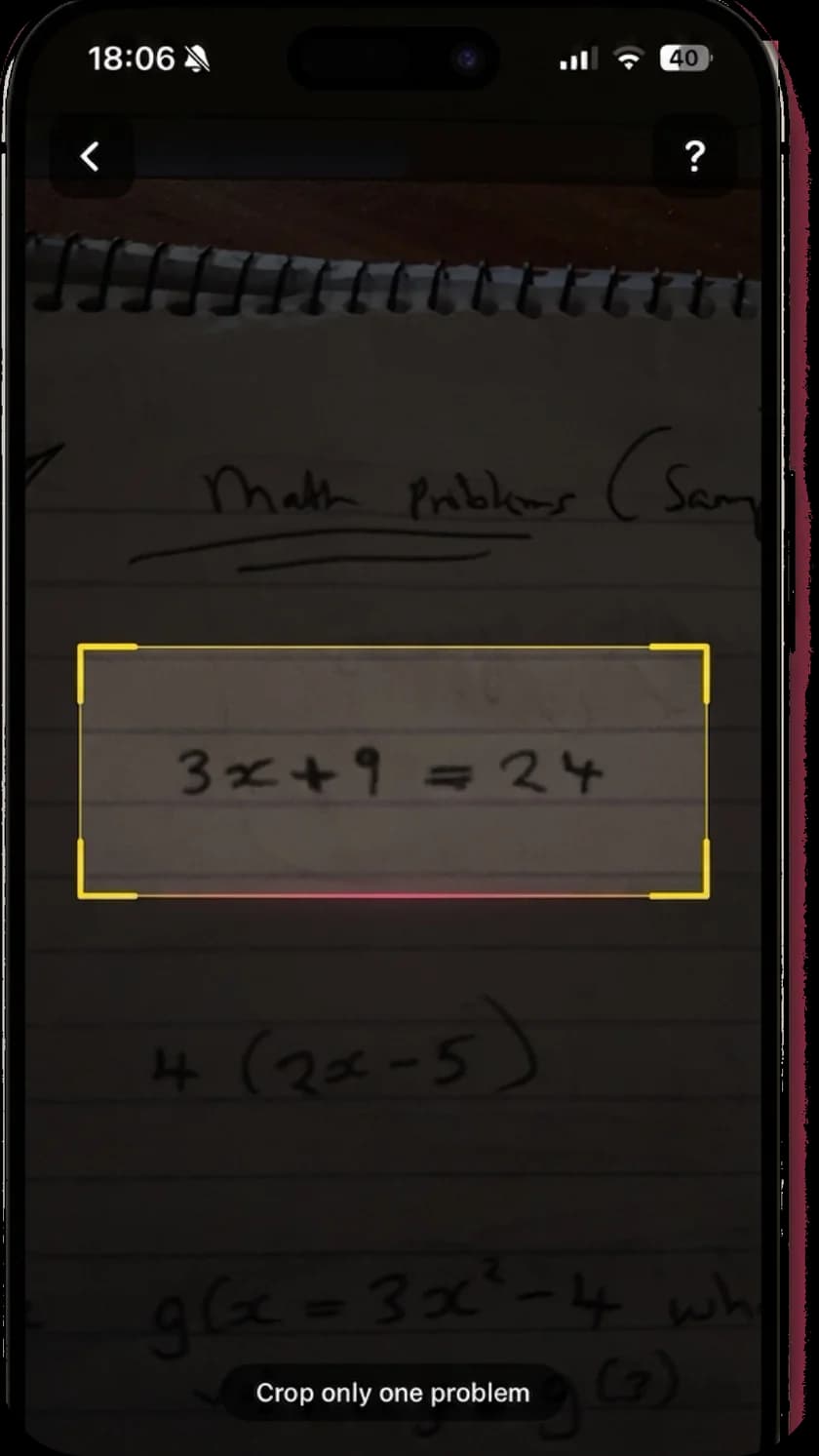
If you liked pointing Socratic at a question, MathScans works the same way for math. Frame the problem, crop it, and it reads print or handwriting.
The solution opens with the problem as MathScans read it, so you can check it matches your page before trusting the answer.
Worked steps instead of search results
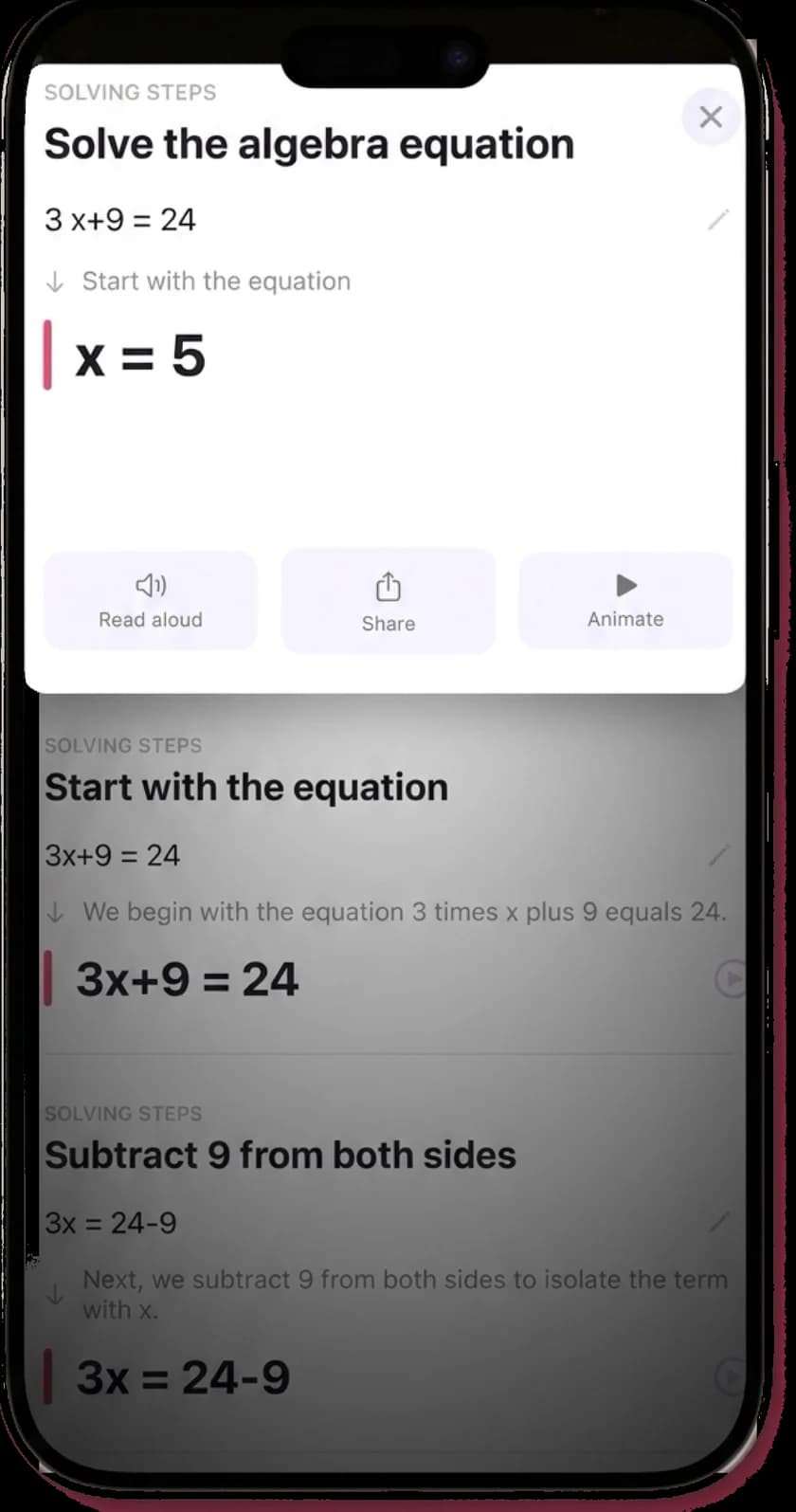
Socratic often pointed you to explainers from the web. MathScans solves your actual problem and explains each step of it in plain language.
That is the difference between reading about the method and seeing it applied to the question in front of you.
Animated and read aloud
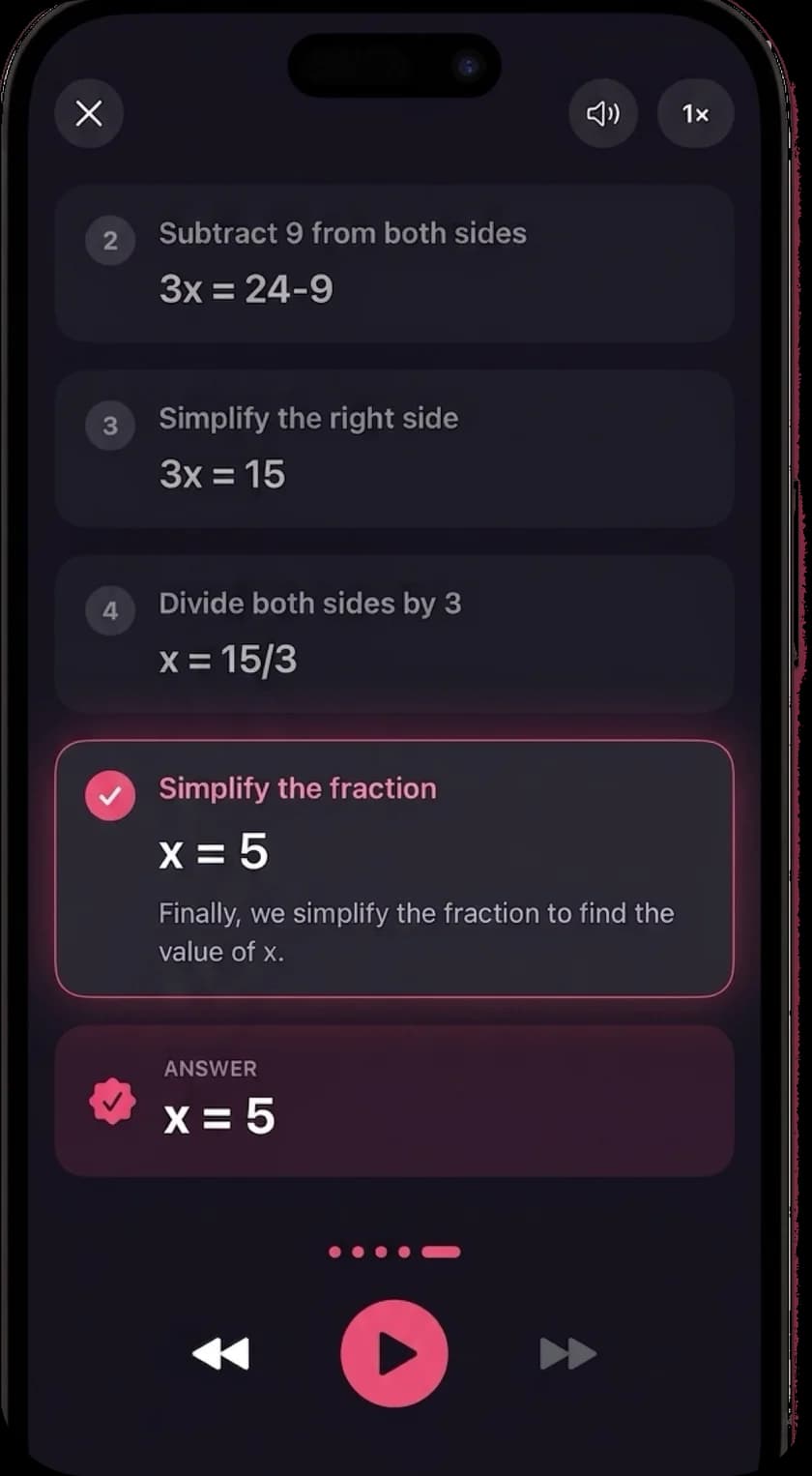
Every solution can play as a step-by-step animation, and each step can be read aloud in any of 19 languages.
Socratic's videos were general lessons on a topic. This is a short lesson on your own problem.
Which one should you install?
If you want the closest thing to Socratic
Google Lens. It is free, it is where Google moved Socratic's homework help, and it covers most school subjects. Open the Google app and tap the camera icon in the search bar.
If you need math steps for free
Photomath. It is also owned by Google, and its free tier shows basic and animated steps for math problems.
If you need every subject in one app
Gauth. It covers math and the sciences, has an AI tutor you can talk to, and offers help from human experts on its paid plan.
If you want to learn a topic from scratch
Khan Academy. It is free and non-profit, with lessons and practice rather than a camera solver.
If math is the subject you struggle with most
MathScans. Every step of every solution is explained, animated and read aloud, with nothing held back for a premium tier. It is paid, with a 3-day trial on the monthly plan.
Missing Microsoft Math Solver too?
Socratic is not the only free homework app to disappear. Microsoft retired Math Solver on July 7, 2025, and now points users to Math Assistant in OneNote. Our Microsoft Math Solver alternative guide explains who can use that, and what to use if you cannot.
The apps that remain are compared side by side in our best math solver apps guide. For a closer look at one, see the Photomath alternatives or Gauthmath alternative pages.
Questions about Socratic
- What happened to the Socratic app?
- Socratic is no longer available. The app has been removed from the App Store, and socratic.org now redirects to Google Lens, which is where Google moved its homework help features.
- Can I still download Socratic?
- No. The Socratic listing is no longer on the App Store. If you still have it installed, it is no longer maintained, so it is worth moving to Google Lens or one of the alternatives on this page.
- What replaced Socratic?
- Google Lens. Socratic's website now redirects there, and Google describes Lens as a way to find explainers, videos and web results for math, history, chemistry, biology, physics and more. It is free inside the Google app.
- What are some apps like Socratic?
- Google Lens is the closest, since it took over Socratic's photo homework help. For math specifically, Photomath and MathScans scan a problem and explain the steps. Gauth covers several subjects with an AI tutor, and Khan Academy is a free place to learn a topic from the start.
- Is Google Lens as good as Socratic for math?
- For a quick check, it is fine. For a full worked solution, a dedicated math app usually explains more. Photomath is the free option from Google, and MathScans adds animated, narrated steps on iPhone.
- Does MathScans cover other subjects like Socratic did?
- No. MathScans is math only, from arithmetic through algebra, geometry, trigonometry, calculus and statistics. For science and humanities questions, use Google Lens or Gauth.
- Is MathScans free?
- No. MathScans needs a subscription: $9.99 a month with a 3-day free trial, or $4.99 a week. If you need something free, Google Lens and Photomath are good places to start.
Keep reading
- Best math solver apps comparedFive apps side by side, with the catch in each.
- Photomath alternativesIs Photomath free, and which apps like it are worth paying for.
- Gauthmath alternativeFor students who only need help with math.
- Math scannerHow the scanner reads, crops and solves your problem.
- Math app for parentsHelp with homework you last saw years ago.
- Math solver with stepsHow each step is explained, animated and narrated.
Snap the math problem. Get every step.
Try MathScans free for 3 days on the monthly plan. After that it is $9.99 a month or $4.99 a week. Cancel any time in Settings.