Algebra solver for iPhone
An algebra solver that shows every step, not just x.
Scan an equation with your iPhone camera and MathScans returns the full working: each step, the operation applied, and a plain explanation of why.
From linear equations to quadratics, watch it animate and hear it read aloud.
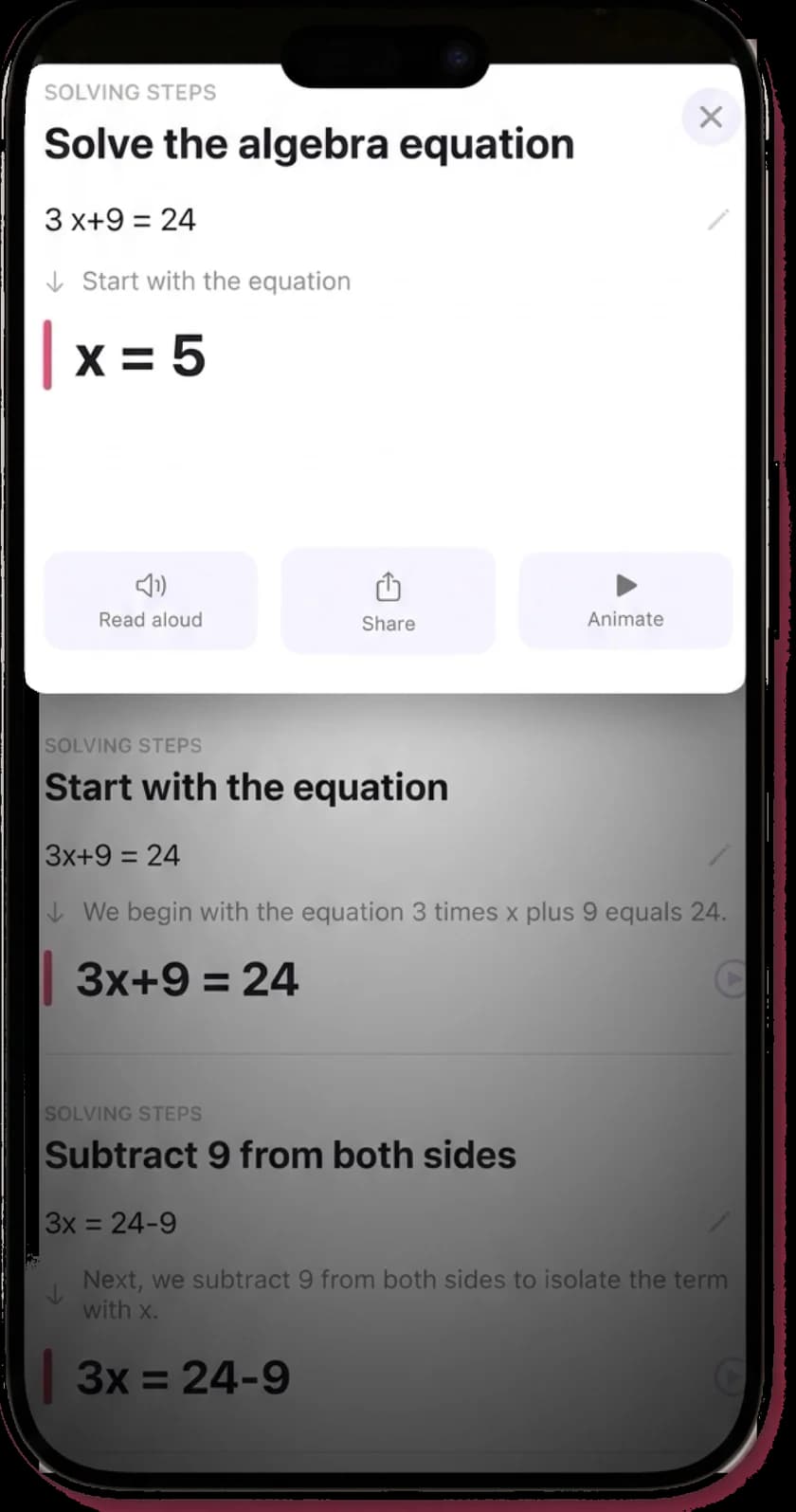
What the algebra solver covers
MathScans handles the algebra taught from the first years of secondary school through to early university. That covers pre-algebra, Algebra 1 and most of Algebra 2.
Whatever the topic, the working looks the same: one operation per step, named and explained. Once you know the format, every solution reads the same way.
Equations
- One-step and multi-step
- Variables on both sides
- Equations with fractions
- Linear inequalities
Expressions
- Collecting like terms
- Expanding brackets
- Factoring
- Laws of exponents
Quadratics
- Solving by factoring
- The quadratic formula
- Completing the square
- Square-root method
Systems
- Substitution
- Elimination
- Two equations, two unknowns
- Word problems written as equations
Variables on both sides, step by step
Solving 5x − 3 = 2x + 12 is where an equation stops being obvious. Here is the whole of it as MathScans presents it, so you can judge the level of detail before downloading anything.
- 01
Start with the equation
5x − 3 = 2x + 12
There is an x term on both sides, which is the step that trips people up. The plan is to gather the x terms on one side and the numbers on the other.
- 02
Subtract 2x from both sides
3x − 3 = 12
Removing 2x from the right leaves the numbers there and collects the x terms on the left. The same is done to both sides, so the equation stays balanced.
- 03
Add 3 to both sides
3x = 15
Now move the constant. Adding 3 cancels the −3 on the left and turns the right side into 15.
- 04
Divide both sides by 3
x = 5
Dividing by the coefficient leaves x on its own. That is the solution, and you can check it by putting 5 back into the original equation.
And a system of two equations
With two unknowns, the first decision is the method. Substitution and elimination both work, but one is usually much shorter.
Here the y terms are +y and −y. Adding the equations makes them cancel straight away, so elimination wins.
That choice is the part worth understanding. It is what lets you make the same call on the next system without help.
2x + y = 7, x − y = 2
The y terms have opposite signs, so elimination is quickest
3x = 9
Add the two equations to eliminate y
x = 3
Divide both sides by 3
3 − y = 2
Substitute x = 3 into the second equation
x = 3, y = 1
Solve for y and state both values
Four algebra mistakes the steps make visible
Most wrong answers in algebra come from one small slip early on, not from the method. The rest of the working can be perfect and still end in the wrong x.
Comparing your lines with a named, step-by-step solution shows exactly where the slip happened. These four account for most of them.
Rearranging
Moving a term without flipping its sign
Do the same operation to both sides instead of moving terms across
Isolating x
Dividing only one term
Divide every term on both sides, not just the first
Brackets
Losing a minus when expanding
−2(x − 3) is −2x + 6, because the minus multiplies both terms
Quadratics
Keeping only the positive root
x² = 9 gives x = 3 or x = −3
Algebra is a method, and the method is the point
Every algebra problem is the same handful of moves: gather like terms, keep both sides balanced, isolate the unknown.
Once you can see those moves named on a problem you understand, you can apply them to one you do not. So MathScans names the operation on every line.
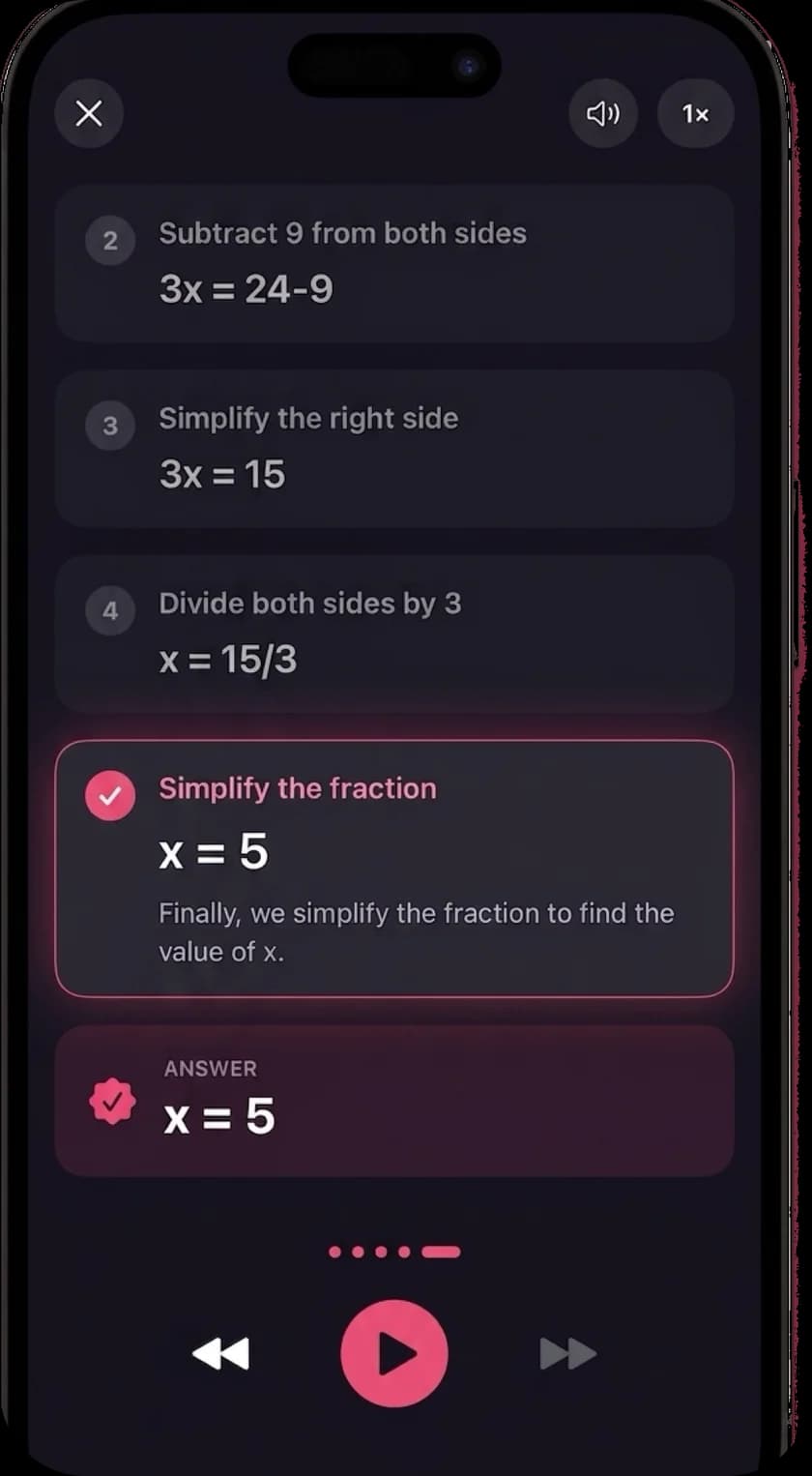
When a step still will not click, the animated player replays it with the terms moving. Narration reads the explanation aloud in any of 19 languages.
Writing algebra the scanner reads first time
The letter x and the multiplication sign are the classic mix-up. Write x as two curved strokes, and use a dot or brackets for multiplication instead of a cross.
Make minus signs a clear horizontal line, longer than a hyphen. Raise exponents well above the line, and draw fraction bars wider than the numbers on them.
Then crop to one problem and check the equation MathScans read back before you read the solution. The photo math solver page has more tips for taking a clean photo.
Algebra solvers compared
Every major math app solves algebra. The real differences are how you enter the problem and how much of the working you see without paying.
| App | Input | Steps without paying | Range |
|---|---|---|---|
| Photomath | Photo | Yes, basic | Wide, across school math |
| Symbolab | Typed, with a camera option | Basic steps | Very wide, with practice problems |
| Mathway | Photo or typed | No, answers only | Wide, with a graphing calculator |
| MathScansours | Photo, print or handwriting | 3-day trial | School and early university algebra |
Checked on each app's US App Store listing and website in October 2026.
If you only need free steps now and then, Photomath or Symbolab may be enough. Our Photomath alternatives and Symbolab alternative pages cover the trade-offs honestly.
MathScans is for students who want every step explained in words, animated and read aloud, straight from a handwritten page.
Where algebra leads next
Algebra is the toolkit for everything after it. Rearranging formulas carries straight into trigonometry and geometry.
In calculus, most lost marks are algebra slips rather than calculus ones. Time spent getting the basics solid here pays off for years.
Questions about the algebra solver
- Does the algebra solver show steps or just the answer?
- Every solution is the full working. Each step shows the state of the equation, names the operation, and explains in plain language why it is the right move, such as gathering the variable terms before the constants. The answer is the last line, not the only thing you get.
- What kinds of algebra can it solve?
- Linear equations and inequalities, equations with variables on both sides, simplifying and factoring expressions, quadratics and systems of two equations. It scans typed and handwritten problems alike, one problem per photo.
- Can it solve two equations at once?
- Yes. Fit both equations of the system in one photo and MathScans treats them as a single problem. It picks substitution or elimination, explains the choice, and gives the value of each unknown.
- What if my teacher wants a different method?
- Algebra problems often have more than one valid route, such as substitution instead of elimination, or the quadratic formula instead of factoring. MathScans picks the most direct one. If your class uses another method, the explanation still shows the reasoning, and the final answer will match either way.
- Does it handle fractions and decimals in equations?
- Yes. With fractions, it usually clears the denominators first by multiplying every term by a common multiple, and it says so on that step. Write fraction bars clearly and wider than the numbers above and below them, so the scan reads them correctly.
- Can I check my own answer with it?
- Yes, and that is one of the best ways to use it. Solve the equation on paper, scan it, and compare line by line. The first line where your working differs is usually where the mistake is.
- Is there a free algebra solver that shows steps?
- Photomath and Symbolab include basic step-by-step algebra in their free tiers, so if cost is your only constraint you have options. MathScans opens with a 3-day free trial on the monthly plan, then it is $9.99 a month or $4.99 a week. The trial lets you compare the explanations on your own equations before deciding.
- Can it help me learn algebra, not just finish homework?
- That is what it is built for. Because it names the reason behind each step, you can scan a problem you are stuck on, read why the first move works, then try the next one yourself. The animation and read-aloud narration make a step easier to absorb than a static line of algebra.
- Which iPhone and iOS version do I need?
- MathScans runs on iPhone and requires iOS 17 or later. It works on iPad in iPhone compatibility mode, though it is not yet optimized for the larger screen, and there is no Android version at present.
Keep reading
- Math solver with stepsHow each step is explained, animated and narrated.
- Geometry solverAngles, areas and shapes, worked through.
- Trigonometry solverIdentities, triangles and the unit circle.
- Calculus solverDerivatives, integrals and limits, every step named.
- Photo math solverTake a picture of a problem and get every step.
- AI math solverHow the AI reads your problem and solves it.
Solve for x, and see how.
Scan the equation, read the steps, watch it animate. Free for 3 days on the monthly plan, then $9.99 a month.