Step-by-step math solver
A math solver that shows the steps, not just the answer.
Scan a problem with your iPhone camera and MathScans returns the full working: every step, the operation applied, and a plain explanation of why.
You can watch each step animate and hear it read aloud.
A worked example
What one step actually contains.
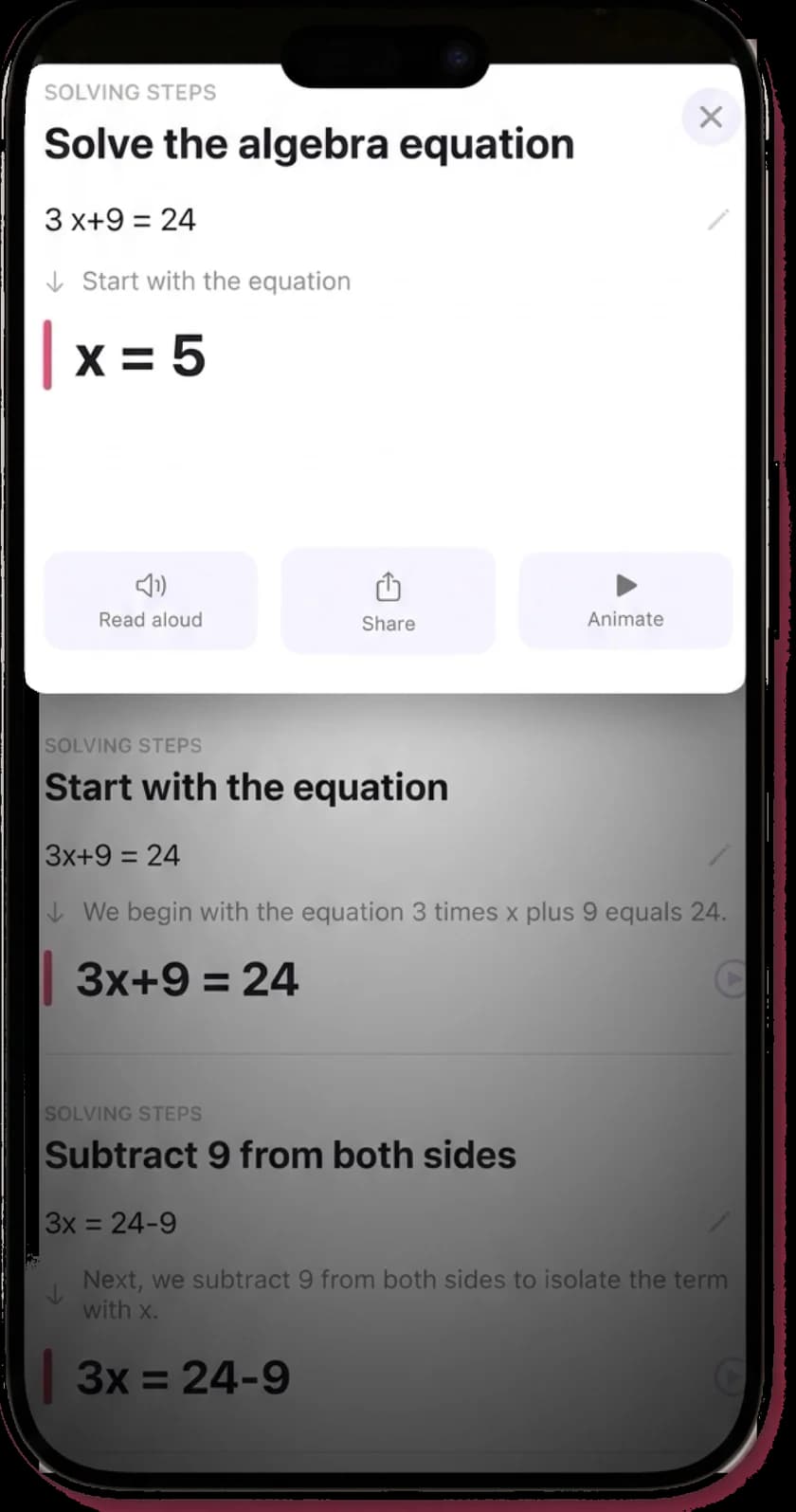
Most solvers give you a line of algebra and move on. Here is the whole of 3x + 9 = 24 as MathScans presents it, so you can judge the level of detail before you download anything.
- 01
Start with the equation
3x + 9 = 24
The problem as scanned, converted to clean notation so nothing is misread before the working begins.
- 02
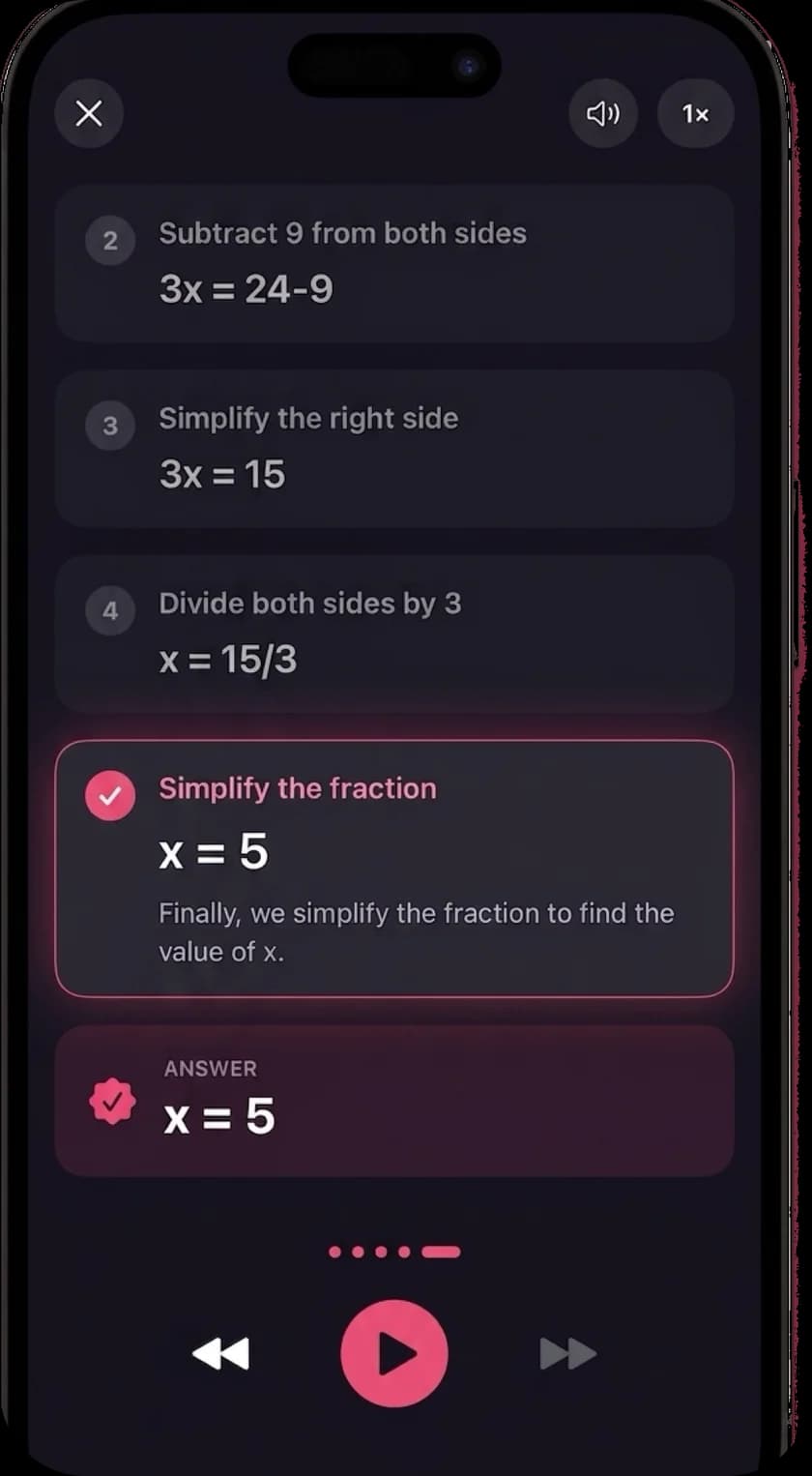
Subtract 9 from both sides
3x = 24 − 9
We move the constant away from the term containing x. Whatever is done to one side is done to the other, which keeps the equation balanced.
- 03
Simplify the right-hand side
3x = 15
24 minus 9 is 15. The left side is untouched, so the equality still holds.
- 04
Divide both sides by 3
x = 5
Dividing by the coefficient leaves x on its own. That is the solution.
The four layers of every step
A step is more than the next line of working. In MathScans each one has four parts, and each part answers a different question.
The operation tells you what happened. The new line shows the result. The reason tells you why it was the right move, which is the part most solvers leave out.
The voice is there for when reading is not enough. It speaks the same reason aloud, which often helps when a line of notation looks dense.
The operation
Subtract 9 from both sides
What was done, in a few plain words
The new line
3x = 24 − 9
The equation after that move
The reason
Keeps the equation balanced
Why this was the right move
The voice
Read aloud, 19 languages
The same reason, spoken
Answer first, steps when you want them
Sometimes you only want to check an answer. So after you scan, MathScans shows the problem it read and the answer straight away.
When you want the working, tap Show Solving Steps. The full solution opens, one step at a time, with the explanation under each line.
From there you can play the animation, turn on narration, or scroll back to the step where your own working went wrong.
Why the working matters
An answer you cannot reproduce is worth nothing in the exam.
Copying a final answer gets tonight's homework marked and teaches you nothing. The value is in the middle: knowing that you subtract the constant first, and why that keeps the equation balanced.
So MathScans names the operation on every step and explains the reasoning behind it. When a step still will not click, the animated player replays it with the terms moving, and narration reads the explanation aloud.
Most marking schemes award method marks. Following the working is how you earn them.
Which math solvers show steps for free?
Plenty of solvers give you the answer for free and charge for the working. Here is where the main apps draw that line.
| App | Steps without paying | What paying adds |
|---|---|---|
| Photomath | Yes, basic and animated | Deeper explanations in Plus |
| Symbolab | Basic steps | More detail on the paid tier |
| Mathway | No, answers only | Steps need a subscription |
| Wolfram Alpha | No | Step-by-step needs Pro |
| Gauth | Limited | Unlimited detail in Gauth Plus |
| MathScansours | 3-day trial | Every step included in one plan |
Checked on each app's US App Store listing and website in October 2026.
If free steps are what you need, start with Photomath. Our is Photomath free guide explains what its paid tier adds on top.
MathScans takes a different approach. There is no free tier, but there is no premium tier either, so no step is ever held back behind an upgrade screen. The best math solver apps comparison covers each option in more depth.
How to actually learn from the steps
Try the problem on paper before you scan it. Then compare your working with the solution, line by line, and stop at the first place they differ.
Read the reason for that one step, close the app, and redo the problem from there. Then try a similar problem with no help at all.
If you can do the second problem alone, you have learned the method rather than borrowed an answer. That is the whole point of a solver with steps.
What to look for in a step-by-step solver
Not every app that says it shows steps shows the same thing. Some list each line of working with no words at all, which only helps if you already know the method.
A useful solver names the operation on every line, so you know what changed. It also explains why that move was chosen, because that is the part you need in an exam.
It should show you the problem it read, so a misread scan cannot hide behind a confident answer. And it should let you replay a step in a different way, such as an animation or narration, when reading it once is not enough.
Test any solver on a problem you have already got wrong. If the steps show you where you went wrong, it is doing its job.
Steps for every subject
The same four layers apply whether you scan a fraction, a triangle or an integral. Each subject page below works a full example.
Questions about step-by-step solutions
- Does MathScans show the steps or just the answer?
- Every solution is broken into steps. Each one shows the state of the equation, names the operation being applied, and explains in plain language why that operation is the right move. The answer appears first, and the full steps open with one tap.
- Is there a free math solver that shows steps?
- Yes. Photomath shows step-by-step solutions in its free version, and Symbolab shows basic steps for free. MathScans is a paid app: the monthly plan starts with a 3-day free trial, after which it is $9.99 a month or $4.99 a week. The trial is there so you can compare the depth of the explanations on your own problems before deciding.
- Can it read handwritten math?
- Yes. The camera handles printed textbook pages and handwritten homework. Every solution opens with the problem as MathScans read it, so if a scan was misread you can spot it and rescan rather than trust an answer to the wrong problem.
- Which types of problems can it show working for?
- Arithmetic, fractions, algebra, intermediate algebra, geometry, trigonometry, pre-calculus and single-variable calculus, from early school math through first-year college. It does not cover graphing or multivariable calculus.
- What happens if a step still does not make sense?
- Two things help. The animated tutorial replays the step so you watch the terms actually move and combine, and voice narration reads the explanation aloud in any of 19 languages. Reading a dense line of notation and hearing it described are different experiences, and the second one often lands when the first does not.
- How many steps does a solution have?
- As many as the problem needs. A one-step equation might have three lines, while an integral by substitution can have six or more. The aim is that you can follow the working from the first line to the last without filling any gaps in yourself, because a skipped step is usually the one you needed to see.
- Can I hear the steps in another language?
- Yes. Narration reads each step aloud in any of 19 languages, using the voices built into your iPhone. You can switch the narration language in settings.
- Can I look at a solution again later?
- Yes. Every scan is saved to your history, where you can reopen the full steps. Scans are deleted automatically after 30 days, and you can delete one sooner with a swipe.
- Why does Mathway not show steps for free?
- Mathway's free version gives the final answer, and its step-by-step breakdowns are part of its paid subscription. If you want steps without paying, Photomath's free version is the usual choice.
Keep reading
- Photo math solverTake a picture of a problem and get every step.
- Calculus solverDerivatives, integrals and limits, every step named.
- Best math solver apps comparedFive apps side by side, with the catch in each.
- Is Photomath free?What Photomath Plus costs, and what is free elsewhere.
- Mathway alternativeWhen the steps are what you need, not just the answer.
- All MathScans featuresEverything the app does, in one place.
See the working on your next problem.
Scan it, read the steps, watch it animate. Free for 3 days on the monthly plan, then $9.99 a month.