Updated October 2026
Microsoft Math Solver is gone. What now?
Microsoft retired Math Solver on July 7, 2025. It was free, it read handwriting, and it showed every step, so a lot of students are still looking for a replacement.
Microsoft's answer is Math Assistant in OneNote, but not everyone can use it. This page explains who can, and what the best alternatives are for everyone else.
Disclosure: MathScans is our own app.
MathScans is one of the options below, and unlike Math Solver it is paid. If you want a free replacement, we name the best ones first.
What happened to Microsoft Math Solver?
Math Solver launched on iPhone in late 2019 and on Android soon after. It recognized handwritten math and gave step-by-step explanations, interactive graphs, video lessons and practice problems.
It was also free, with no subscription, which made it a favorite with students and parents alike.
In June 2025, Microsoft announced that Math Solver would be retired on July 7, 2025. It pointed users to Math Assistant in OneNote instead.
Nov 2019
Math Solver arrives on iPhone, followed by Android in December
2019 to 2025
Free steps, handwriting recognition, graphs and video lessons
June 2025
Microsoft announces the retirement
July 7, 2025
Math Solver is retired, with users pointed to OneNote
Can you use Math Assistant in OneNote?
Math Assistant is Microsoft's official replacement. It solves typed or handwritten equations in OneNote, shows the steps, and can draw graphs.
The catch is access. Microsoft's support page says it is only available with a Microsoft 365 subscription for Enterprise or Education.
So if your school gives you a Microsoft 365 account, you may already have it. If you were using Math Solver at home with no school account, you will probably need something else.
Who Microsoft lists for Math Assistant
- Microsoft 365 Education(listed)
- Microsoft 365 Enterprise(listed)
- Personal or Family plans(not listed)
- No Microsoft 365 account(not listed)
How to use Math Assistant if you have it
Microsoft lists Math Assistant for OneNote on Windows, on the web and on iOS. Sign in with your school account first, since it will not appear on a personal one.
It works on equations you write or type into a OneNote page. It is not a camera app, so to solve a worksheet you copy the problem into OneNote first.
- 1
Write or type the equation on a page in OneNote.
- 2
Use Lasso Select on the Draw tab to circle it.
- 3
Select Math to open the Math Assistant pane.
- 4
Choose an action, such as solving for x, then select Show steps.
Where to find each Math Solver feature now
No single app does everything Math Solver did for free. Most people end up replacing it with one main solver and, if they need graphs, a separate graphing tool.
In Math SolverPhoto or handwriting input
NowPhotomath, MathScans
In Math SolverFree step-by-step solutions
NowPhotomath, or Math Assistant through school
In Math SolverInteractive graphs
NowDesmos, Mathway, Symbolab
In Math SolverVideo lessons and practice
NowKhan Academy
Microsoft Math Solver alternatives at a glance
| App | Steps without paying | Input | Graphs | Price |
|---|---|---|---|---|
| Math Assistant | Yes, with an eligible plan | Ink in OneNote | Yes | Microsoft 365 Education or Enterprise |
| Photomath | Yes, basic and animated | Photo, print and handwriting | Yes | Free, Plus $9.99/mo |
| Symbolab | Basic steps | Typed, with a camera option | Yes | Free, paid detail |
| Mathway | Answers only | Photo or typed | Yes | Free answers, paid steps |
| MathScansours | No free tier, 3-day trial | Photo, print and handwriting | No | $9.99/mo or $4.99/wk |
Checked on each app's US App Store listing and Microsoft's support pages in October 2026. Prices are US prices and vary by country.
The closest free replacement is Photomath
If you loved Math Solver because it was free, Photomath is where to start. It reads printed and handwritten problems, and Google says its core step-by-step features will stay free.
It also adds something Math Solver did not have: animated steps, in the free version. Photomath Plus is the paid tier, and our is Photomath free guide explains exactly what it adds.
Symbolab and Mathway are also worth a look, especially if you used Math Solver's graphs. See our Symbolab and Mathway comparisons for the catch with each.
A note for parents
If your child used Math Solver, ask their school whether they have a Microsoft 365 account. Many schools provide one, and it may already include Math Assistant at no cost to you.
If not, try a free app before paying for one. Sit with your child for a few problems and check that they read the steps rather than copying the final line.
Whichever app you choose, the best sign it is working is simple. Your child should be able to solve the next similar problem without it.
If you want more than Math Solver gave you
Handwriting, like Math Solver read it
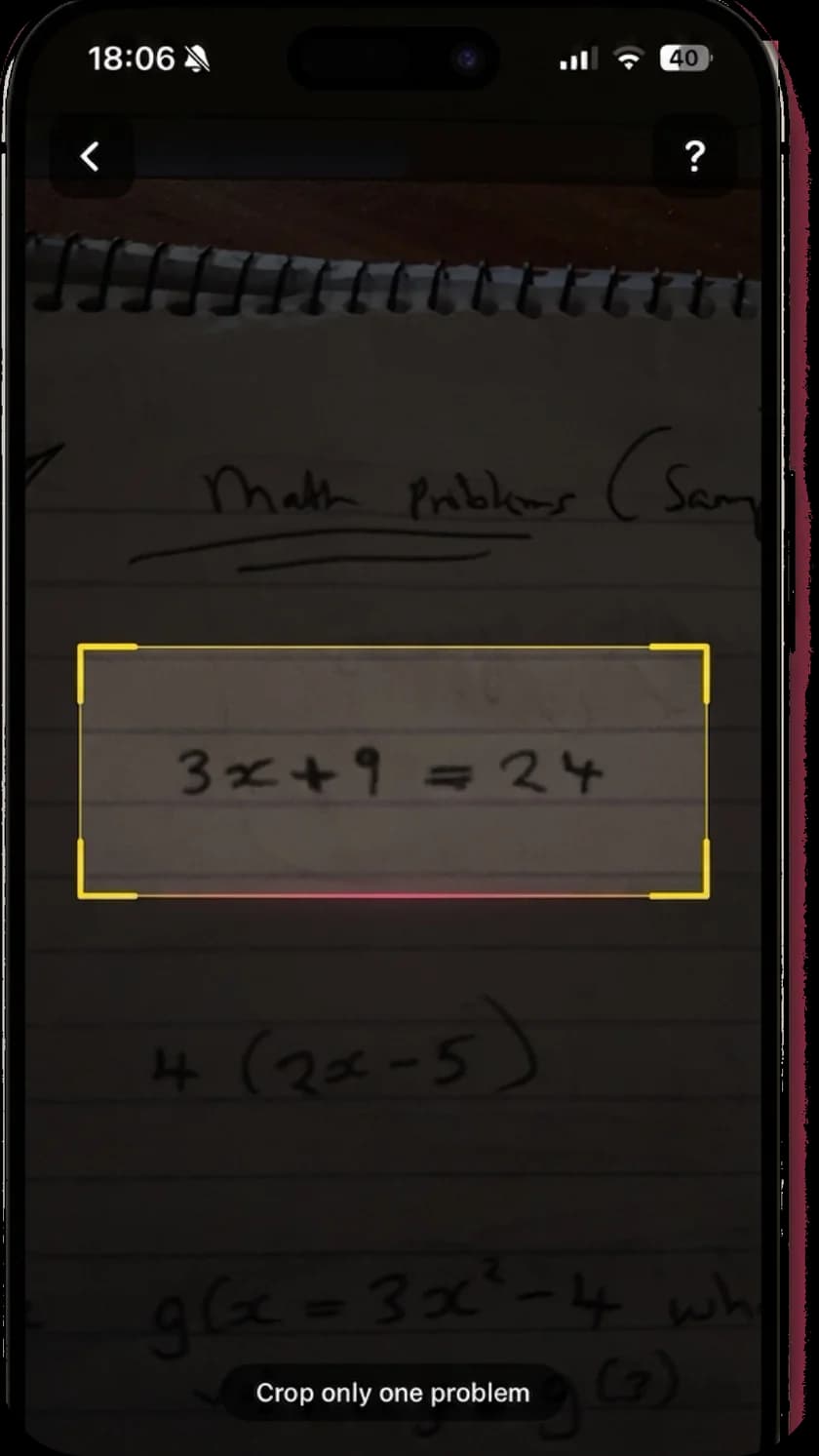
One of Math Solver's best features was reading handwritten math. MathScans does the same from your iPhone camera, on lined paper, worksheets or a textbook page.
Every solution opens with the problem as MathScans read it, so you can check it before trusting the answer.
Steps that explain the why
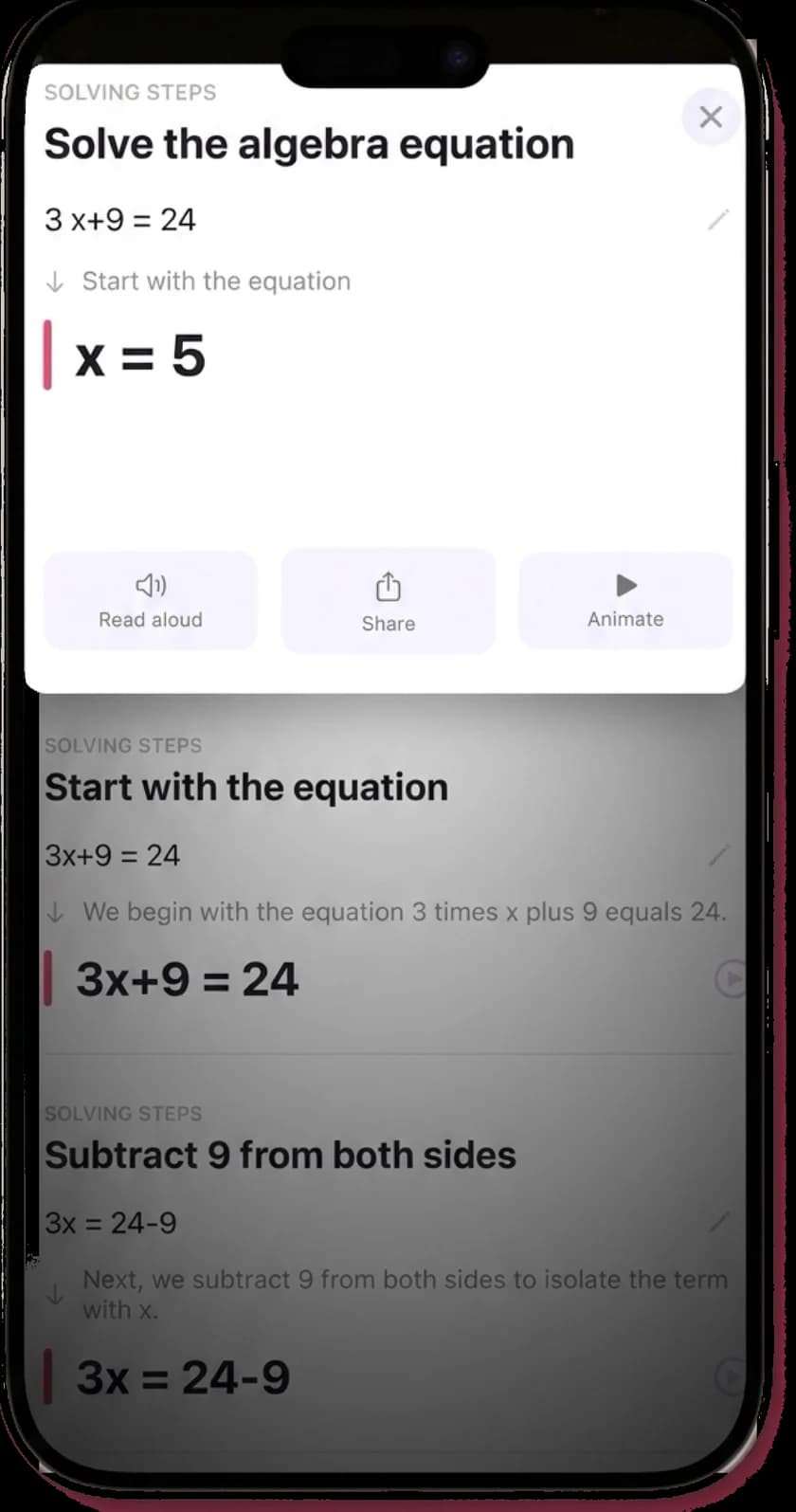
Each step names the operation in plain words, then shows the equation after it. The aim is to explain the move rather than just list it.
Every explanation comes with every solution. There is no free tier with the detail held back.
Animated and read aloud
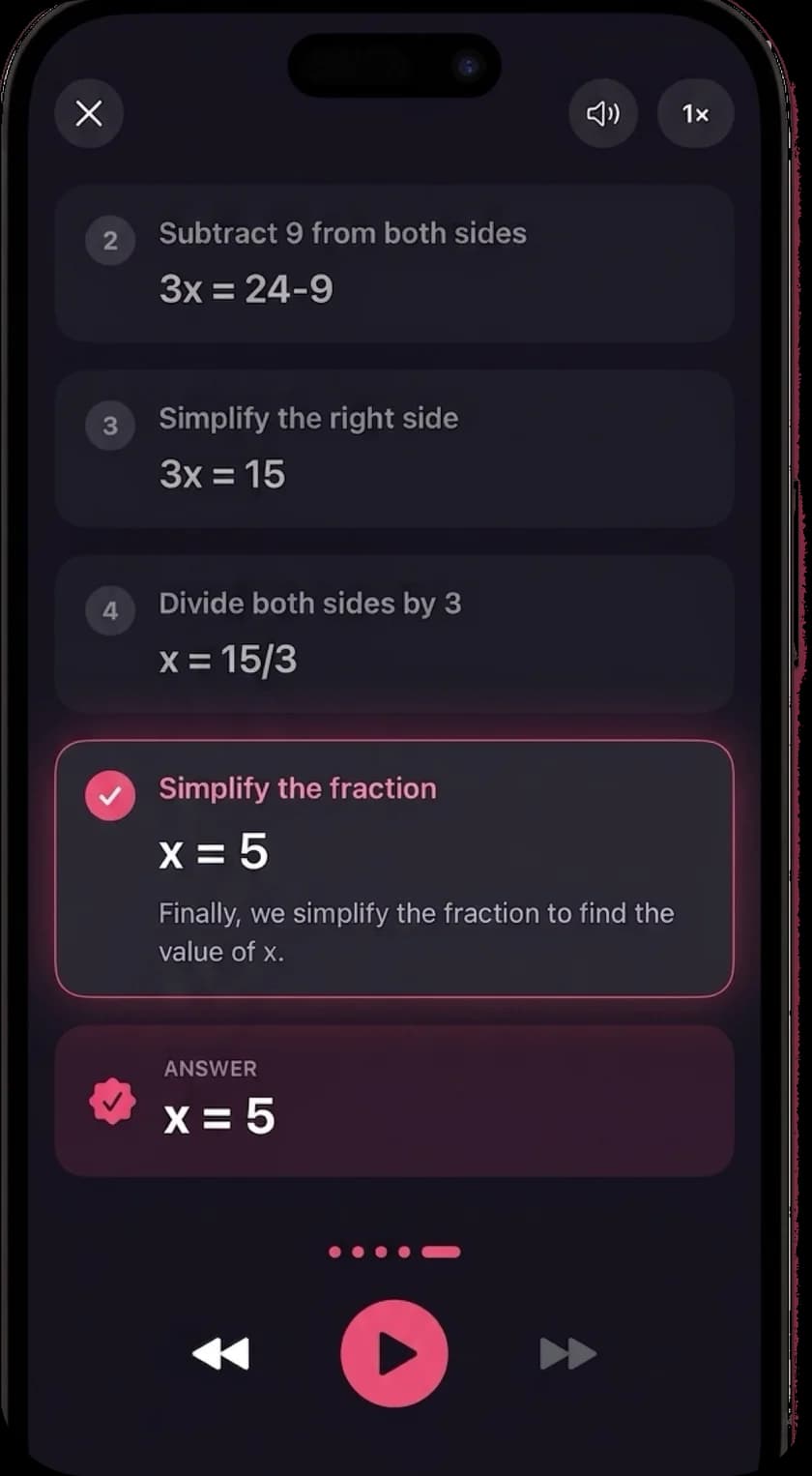
Math Solver linked out to video lessons on a topic. MathScans animates the steps of your own problem instead, and reads each one aloud.
Narration works in any of 19 languages, using the voices built into your iPhone.
Which one should you use?
If your school gives you Microsoft 365
Try Math Assistant in OneNote first. It is Microsoft's official replacement, it shows steps and graphs, and you may already have it at no extra cost.
If you want something free, like Math Solver was
Photomath. It reads handwriting, shows basic and animated steps for free, and runs on iPhone, iPad and Android.
If you mostly used the graphs
Desmos for free graphing, or Symbolab and Mathway, which both include graphing calculators alongside their solvers.
If you want every step explained, animated and read aloud
MathScans, on iPhone. It is paid rather than free, with a 3-day trial on the monthly plan, but every explanation is included.
Missing Socratic as well? Google's homework app is gone too, and our Socratic alternatives guide covers what replaced it. The best math solver apps comparison puts the apps that remain side by side.
Questions about Microsoft Math Solver
- What happened to Microsoft Math Solver?
- Microsoft retired Math Solver on July 7, 2025. It announced the date in June 2025 and pointed users to Math Assistant in OneNote instead.
- Can I still download Microsoft Math Solver?
- No. Microsoft retired Math Solver on July 7, 2025, so it is no longer offered or supported. Use Math Assistant if you have an eligible account, or one of the alternatives on this page.
- Is Math Assistant in OneNote free?
- Not on its own. Microsoft's support page says Math Assistant is only available with a Microsoft 365 subscription for Enterprise or Education. Many students get that through school, so check your school account before paying for anything.
- Can I use Math Assistant at home?
- Yes, if you sign in with an eligible school or work account. Microsoft lists it for OneNote on Windows, the web and iOS. Personal and Family plans are not among the subscriptions Microsoft lists for it.
- What is the best free Microsoft Math Solver alternative?
- Photomath is the closest free replacement. It reads handwriting and printed problems, and its free tier shows step-by-step and animated solutions. For graphing, Desmos is free.
- Does MathScans draw graphs like Math Solver did?
- No. MathScans focuses on worked solutions, explaining each step in words, animating it and reading it aloud. For graphs, use Desmos, Symbolab or Mathway alongside it.
- Is MathScans free?
- No. Math Solver was free, and MathScans is not. It costs $9.99 a month with a 3-day free trial, or $4.99 a week. If free matters most, start with Photomath.
Keep reading
- Best math solver apps comparedFive apps side by side, with the catch in each.
- Is Photomath free?What Photomath Plus costs, and what is free elsewhere.
- Photomath alternativesIs Photomath free, and which apps like it are worth paying for.
- Socratic alternativesSocratic is gone. What to use instead.
- Symbolab alternativeScan instead of type, with every step included.
- Math scannerHow the scanner reads, crops and solves your problem.
Scan your handwriting. Get every step.
Try MathScans free for 3 days on the monthly plan. After that it is $9.99 a month or $4.99 a week. Cancel any time in Settings.