Features
Everything MathScans does, from scan to understanding.
MathScans turns a photo of a math problem into a worked solution you can follow, watch and listen to.
Here is every feature in the app, and the few things it does not do yet.
How one problem moves through the app
Every feature sits somewhere along one path. You scan a problem, check it, see the answer, then go as deep into the method as you need.
Nothing is hidden behind a second paywall. Every feature below is part of the same subscription, and the sections follow the same order as the path.
01
Scan
Point the camera or pick a photo
02
Crop
Frame one problem and check it
03
Answer
The result appears first
04
Steps
Each step named and explained
05
Replay
Animate it or have it read aloud
A math scanner that shows you what it read
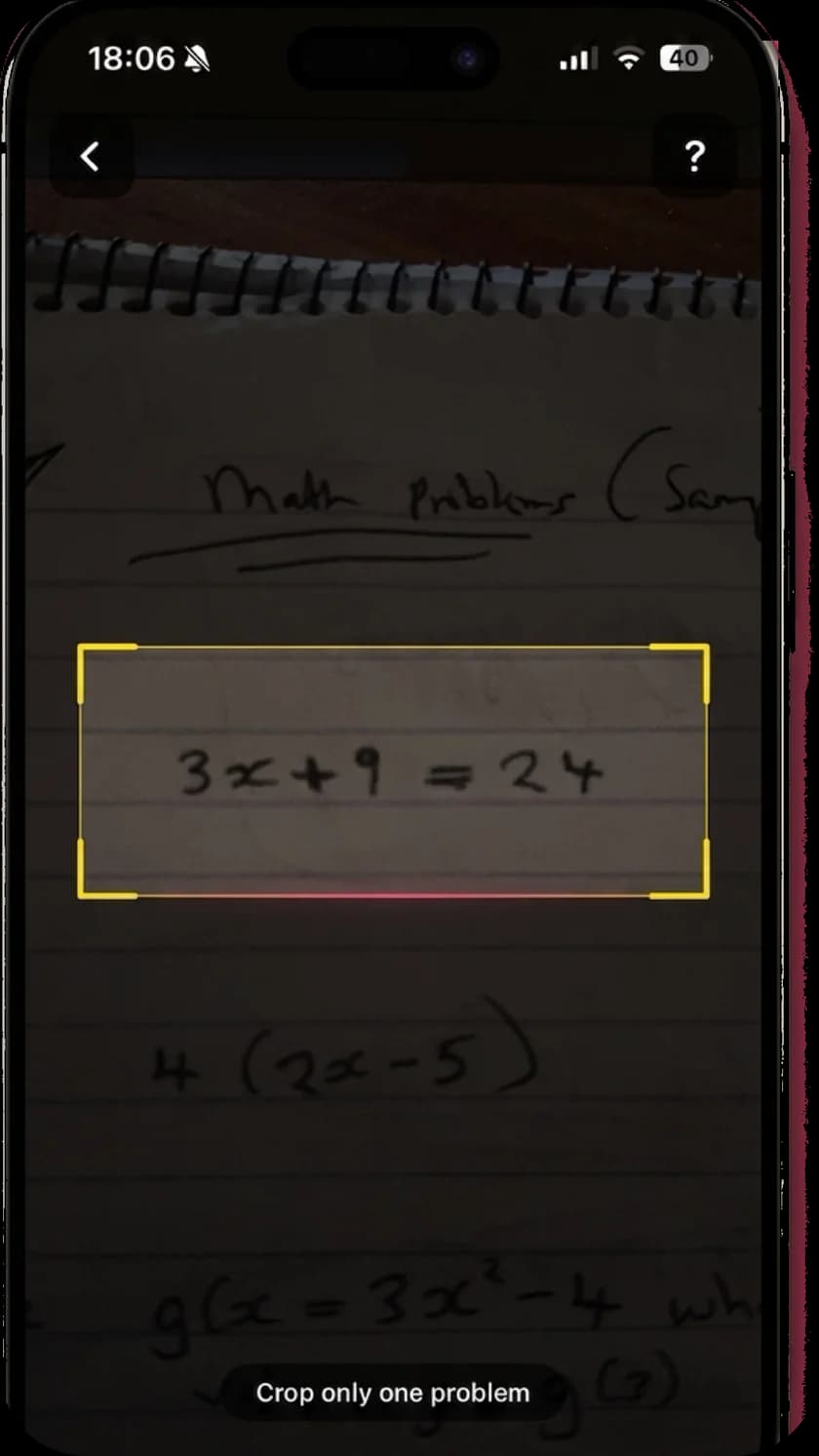
The scanner opens as soon as you launch the app. Frame one problem, take the photo, then adjust the crop corners before anything is solved.
Every solution starts with the problem as MathScans read it. If a digit or exponent is wrong, you can see it at once and retake the photo.
- Printed textbooks, worksheets and handwriting on lined paper
- Flash toggle for dim rooms and glossy pages
- Import a photo or screenshot from your library
- Review and crop before anything is solved
More on photo quality is on the math scanner page.
Step-by-step solutions that say why
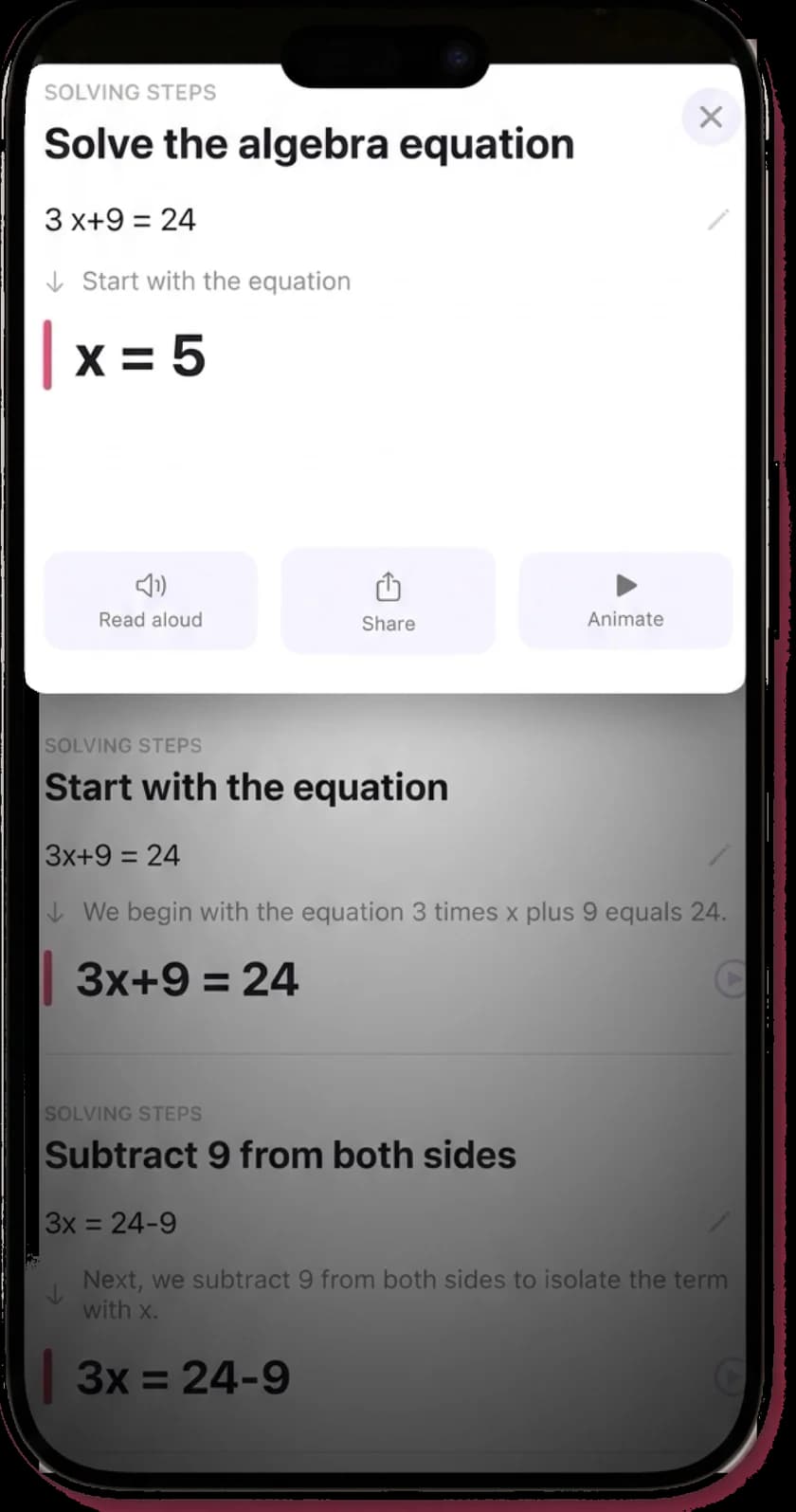
The answer appears first. Tap Show Solving Steps to see the method, one operation per step, up to ten steps for a long problem.
Each step shows the equation as it stands, names what was done, and explains why in plain language. The explanation is the part you can repeat in a test.
Before a solution is shown, the answer is checked against the original problem. Simple numeric answers are recalculated to catch arithmetic slips. See how the step-by-step solutions work for a full example.
Animated replays of every step
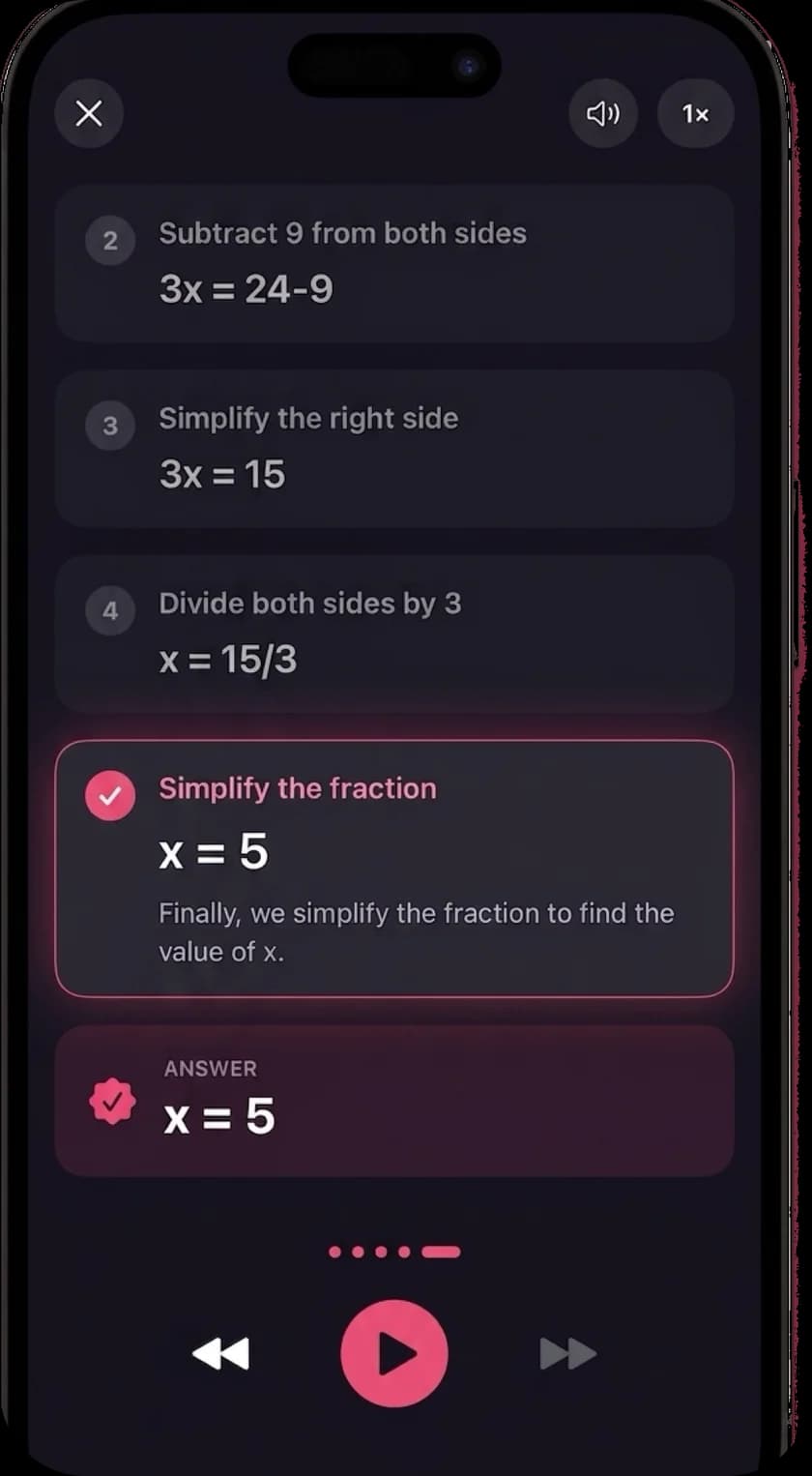
Tap Animate and the solution plays as a short lesson. Terms move, combine and cancel, so you see what changed between two lines instead of working it out.
The player has play and pause and four speeds, from half speed to double. Slow it down for a new topic, or speed it up when you are revising.
Animation helps most where a static line hides the movement: moving terms across an equals sign, a substitution in calculus, or factoring.
Narration and solutions in 19 languages
Turn on voice narration and each explanation is read aloud as you step through it. It uses the voices built into your iPhone.
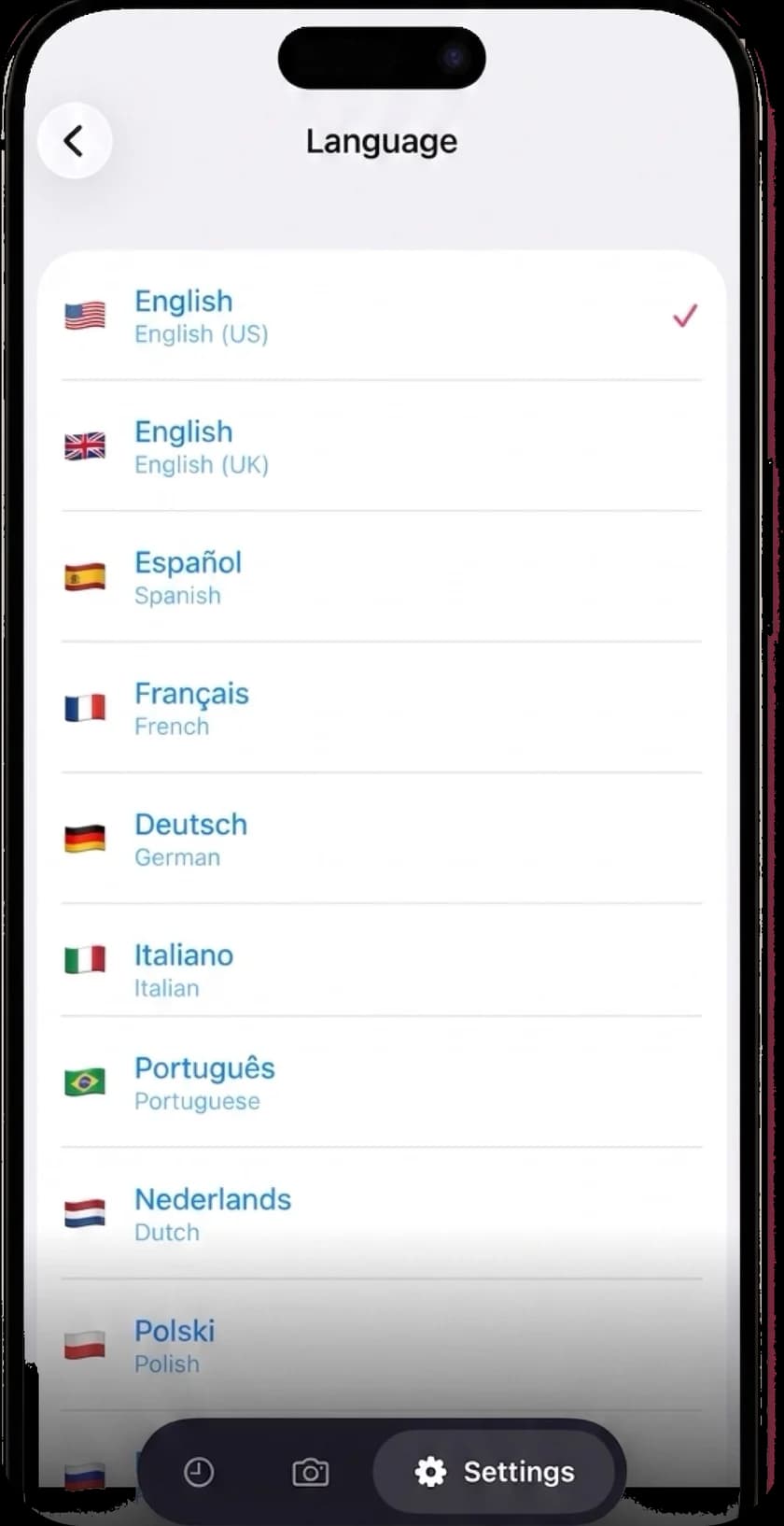
Pick a language in Settings and the solutions are written in it, not just spoken. That helps students learning in a second language and parents helping in their first.
- English (US)
- English (UK)
- Spanish
- French
- German
- Italian
- Portuguese
- Dutch
- Polish
- Russian
- Turkish
- Arabic
- Hindi
- Indonesian
- Vietnamese
- Thai
- Chinese (Simplified)
- Japanese
- Korean
Math preferences that match your class
Math is written differently around the world. A solution that uses another country's notation can confuse more than it helps.
These four settings make the working look like the working on your own page.
You set them once in Settings, under Math preferences, and they apply to every solution from then on.
| Setting | Options | What it changes |
|---|---|---|
| Math level | Arithmetic, Basic Algebra, Intermediate Algebra, Calculus | How simply the explanations are worded |
| Decimal separator | 3.14 or 3,14 | Matches how decimals are written where you study |
| Repeating decimals | Bar over the 3, 0.333… or 0.(3) | Shows recurring decimals the way your class does |
| Binomial notation | C(n, k) or stacked | Matches your textbook's choose notation |
Subjects, history and privacy
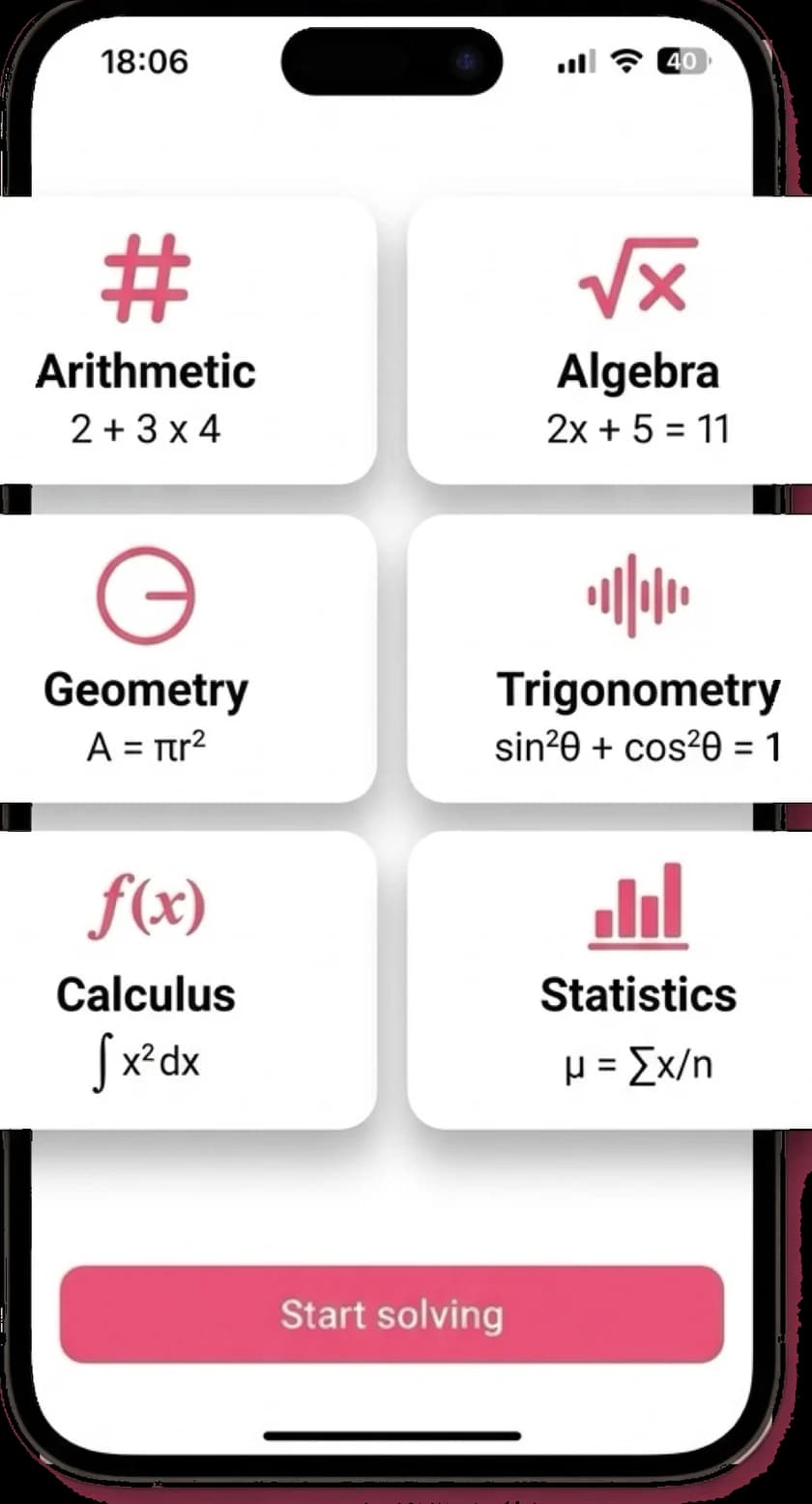
MathScans covers algebra, geometry, trigonometry and single-variable calculus, plus the arithmetic underneath them.
Solved problems are saved to your history for 30 days, then deleted automatically. Swipe to delete one sooner, or delete your account from Settings.
There are no ads, and the App Store privacy label declares no tracking. Your email, photos, purchases and app usage are linked to your account so the app can work.
What MathScans does not do yet
It is better to know the limits before you start a trial than after. These are the ones students ask about most.
If one of them rules MathScans out, our comparison of math solver apps covers the alternatives.
No typed input
Problems come from the camera or a photo. Write a problem out by hand and scan it if you only have it on screen.
No graphing
MathScans does not draw graphs. Pair it with a graphing calculator such as Desmos.
Needs a connection
Reading and solving happen online, so there is no offline solving.
iPhone first
It runs on iPad in iPhone compatibility mode. There is no Android or web version.
English interface
Menus are in English. Solutions and narration can be in any of 19 languages.
One problem per photo
A full worksheet needs one scan per problem, cropped to that problem.
Questions about MathScans features
- What does MathScans do?
- It scans a math problem with your iPhone camera, solves it, and explains each step in plain language. Every step can be replayed as an animation and read aloud. It covers arithmetic through algebra, geometry, trigonometry and single-variable calculus.
- Can MathScans read handwriting?
- Yes. It reads handwritten and printed problems. Clear handwriting, good light and a tight crop around one problem give the best results, and every solution starts with the problem as it was read so you can check it.
- Which languages does MathScans support?
- Solutions and voice narration can be in 19 languages, including Spanish, French, German, Arabic, Hindi, Chinese, Japanese and Korean. Choose one in Settings under Language. The app's menus are in English.
- Can I control the speed of the animation?
- Yes. The animated player has play and pause and four speeds: half speed, normal, 1.5 times and double. Narration follows the same speed, so slowing it down also slows the voice.
- Does voice narration need an internet connection?
- The narration uses the voices built into your iPhone, so speaking an explanation happens on the device. Scanning and solving the problem still need a connection.
- How long is my history kept?
- Solved problems are saved to your account for 30 days, then deleted automatically. You can swipe to delete any of them sooner, and you can delete your whole account from Settings.
- Is there a free version?
- No. MathScans has a 3-day free trial on the monthly plan, then costs $9.99 a month or $4.99 a week. Every feature on this page is included in the subscription.
- Can I scan a screenshot or a photo I already took?
- Yes. Import any image from your photo library, including screenshots of online homework. It goes to the same review and crop screen as a camera photo, so you can frame one problem before solving.
- Can I scan a whole worksheet at once?
- No. MathScans solves one problem per photo, so crop each scan to a single question. That keeps the reading accurate and gives each problem its own solution in your history.
- Can I change the math level later?
- Yes. You choose a level during setup, and you can change it any time in Settings under Math preferences. The new level applies to the next problem you solve.
- Does MathScans work for parents as well as students?
- Yes. Many parents use it to understand a method before explaining it to their child. Setting the math level to Arithmetic keeps explanations simple for younger children.
- What happens if MathScans cannot find math in my photo?
- You will see a message saying no math was found in the image. That usually means the photo is blurred, too dark, or cropped around text rather than the problem. Retake it with the flash on or a tighter crop, and keep one problem in the frame.
- Are new features still being added?
- Yes. MathScans is actively developed, and updates arrive through the App Store like any other app. The limits listed on this page are the ones we know students care about most.
- Does MathScans have ads?
- No. There are no ads and no ad networks in the app, and the App Store privacy label declares no tracking.
Keep reading
- Math solver with stepsHow each step is explained, animated and narrated.
- Math scannerHow the scanner reads, crops and solves your problem.
- AI math solverHow the AI reads your problem and solves it.
- Photo math solverTake a picture of a problem and get every step.
- How to pick a math solver for iPhoneFour checks you can run in five minutes.
- Best math solver apps comparedFive apps side by side, with the catch in each.
Try every feature on your own homework.
Free for 3 days on the monthly plan, then $9.99 a month. Cancel any time in Settings.