Scan and solve, on iPhone
Scan a math problem. Get the whole solution.
Point your iPhone camera at any problem, printed or handwritten, confirm the equation it read, and get the full working, one explained step at a time. Then watch it animate and hear it read aloud.
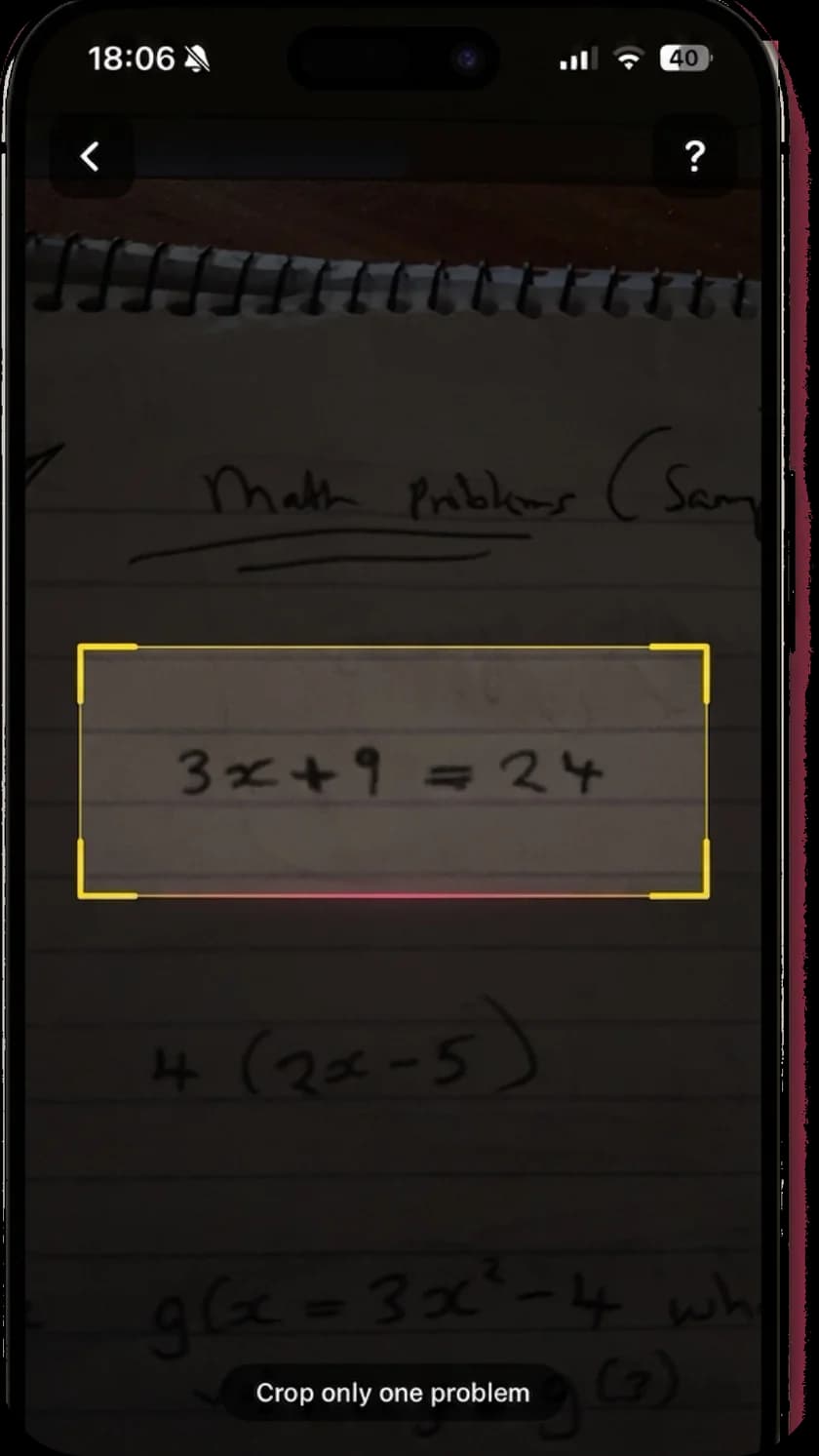
Point, confirm, solve
Three steps from photo to understanding.
Scanning is only useful if you can trust what it read. Here is the whole flow, including the confirmation step that stops a confident answer to the wrong problem.
- 01
Point the camera
Frame the problem, printed from a textbook or written by hand. A crop box finds the equation, so a whole page of questions does not become one tangled scan. Poor light and an angle are fine; a genuinely blurry photo is the one case to retake.
- 02
Confirm what it read
Before solving, MathScans prints back the equation it recognised and shows a confidence indicator. You check it matches your page, so you never get a fast, confident answer to the wrong problem. This is the step most scanners skip.
- 03
Read the worked solution
You get the full working, not just the answer: every step, the operation applied, and a plain explanation of why. Then the tutorial animates the step and reads it aloud, so a method you scanned in two seconds is one you actually understand.
What you can point it at
Handwriting, textbooks, whiteboards.
Textbook print is the easy case. The scanner is built for the harder ones too: your own handwriting on lined paper, a photographed whiteboard, a problem screenshotted from a slide. You can solve from the live camera or from a photo already in your library.
It covers arithmetic and fractions through algebra, geometry, trigonometry and into calculus, over 200 problem types. Whatever you point it at, you get the same thing back: not just the answer, but the working, explained and read aloud.
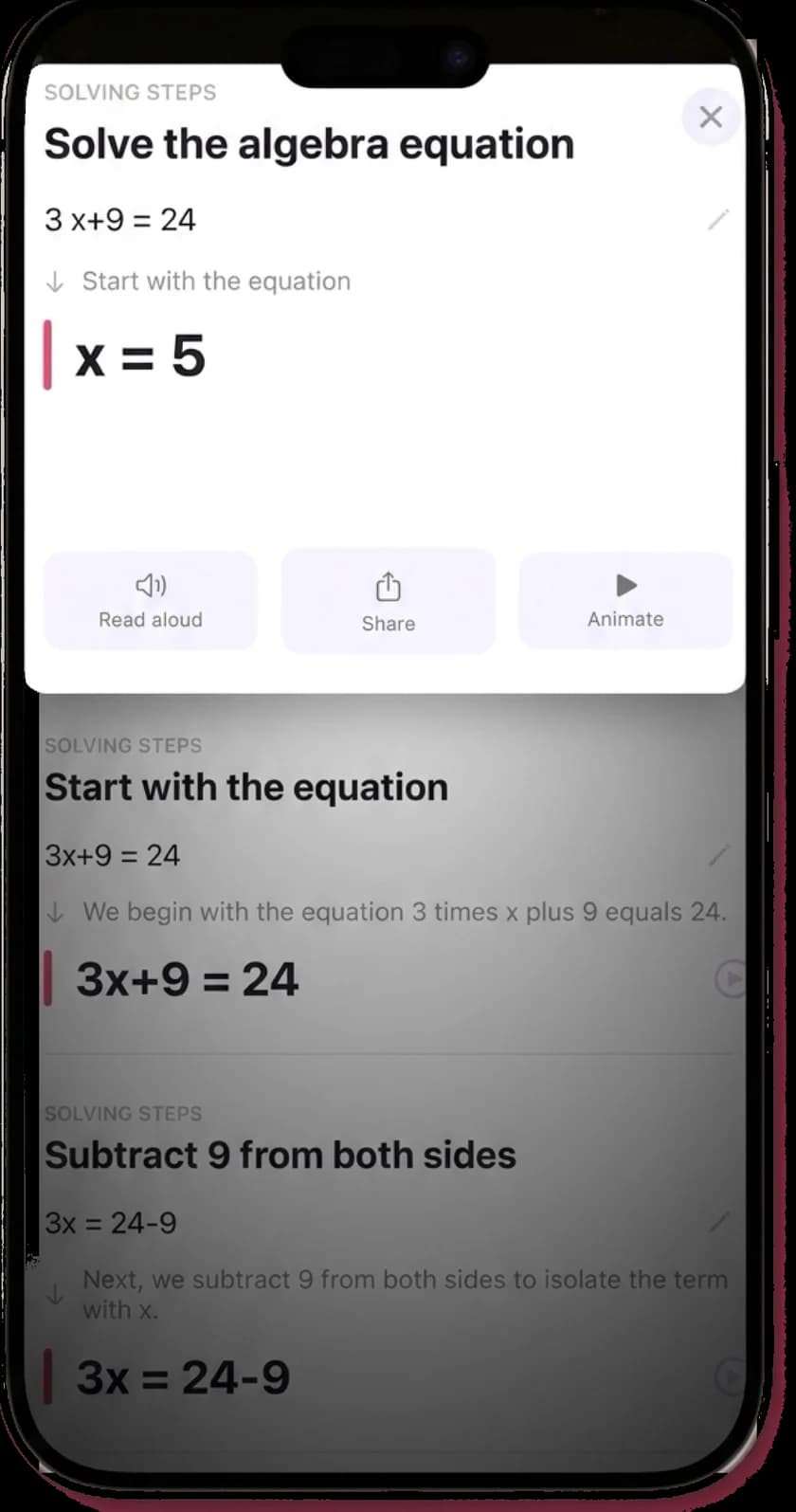
A scanner you can actually trust.
The point of scanning is speed, but a fast answer to a misread problem is worse than no answer. MathScans is built so you always see what it read before it solves, which is what makes the speed safe to rely on.
Start free for three days and scan the problems you are actually working on. Point, confirm, read the steps, and decide for yourself before you are charged anything.
Questions about scanning math problems
- What is the best app to scan and solve math problems?
- Look for two things: a scanner that reads handwriting, not just textbook print, and solutions that explain the steps rather than only showing an answer. MathScans does both, confirms the equation it read before solving, and narrates each step aloud. Try it free for 3 days and scan a few of your own problems to judge the read quality before you decide.
- Can it scan handwritten math problems?
- Yes. The camera handles handwritten homework, printed textbook pages and whiteboards. Handwriting is the harder case, so MathScans shows the equation it read and a confidence indicator before solving, letting you retake a poor scan rather than trust a misread of a cramped exponent or fraction.
- Can I scan from a photo I already took?
- Yes. As well as the live camera, you can solve from a photo in your library, which is useful for a problem someone sent you or a page you photographed earlier. The same confirmation step applies: you check the recognised equation before it solves.
- Does scanning and solving work offline?
- Reading the photo and generating the explanation both happen on servers, so solving a new problem needs a connection. Your last 10 scans are cached on the device so you can reread those solutions offline, and voice narration uses on-device speech, so it works without a connection.
- Is it free to scan and solve math problems?
- MathScans opens with a 3-day free trial on the monthly plan, so you can scan and solve at no cost first. After the trial it is $9.99 a month or $4.99 a week, cancellable any time in Settings. If a free scanner covers what you need, use one; the trial is there so you can compare before paying.
Point your camera at the next one.
Scan it, confirm the read, follow the working. Free for 3 days on the monthly plan, then $9.99 a month.