Math solver app for iPhone
Scan it. Solve it. Understand it.
Point your camera at any math problem and get a step-by-step solution that explains every move, animates it, and reads it aloud. Arithmetic through calculus, in 19 languages.
SOLVING STEPS
Order of Operations
How it works
From photo to full understanding.
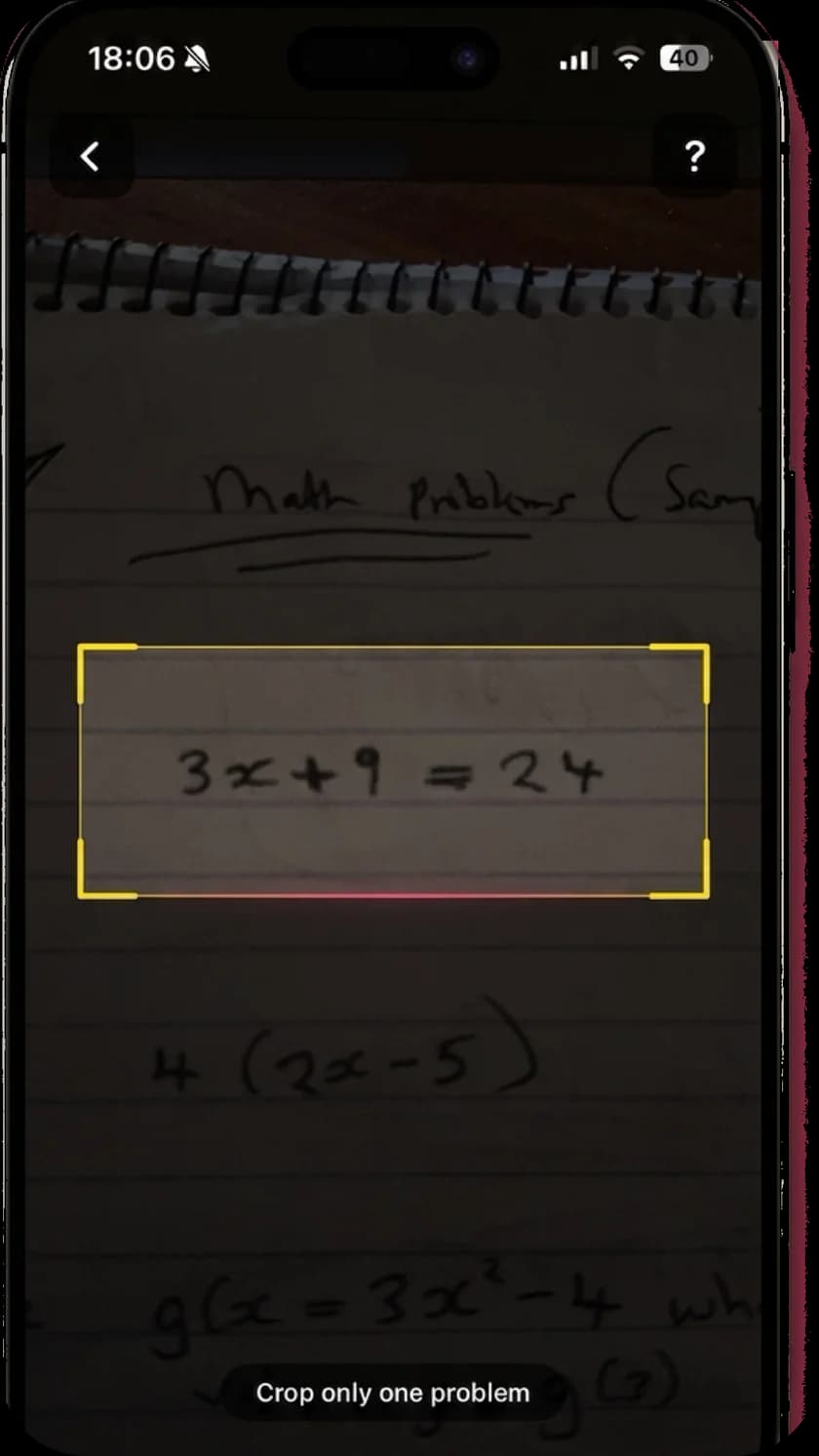
Scan any problem
Point your camera at printed or handwritten math, then adjust the crop corners around one problem.
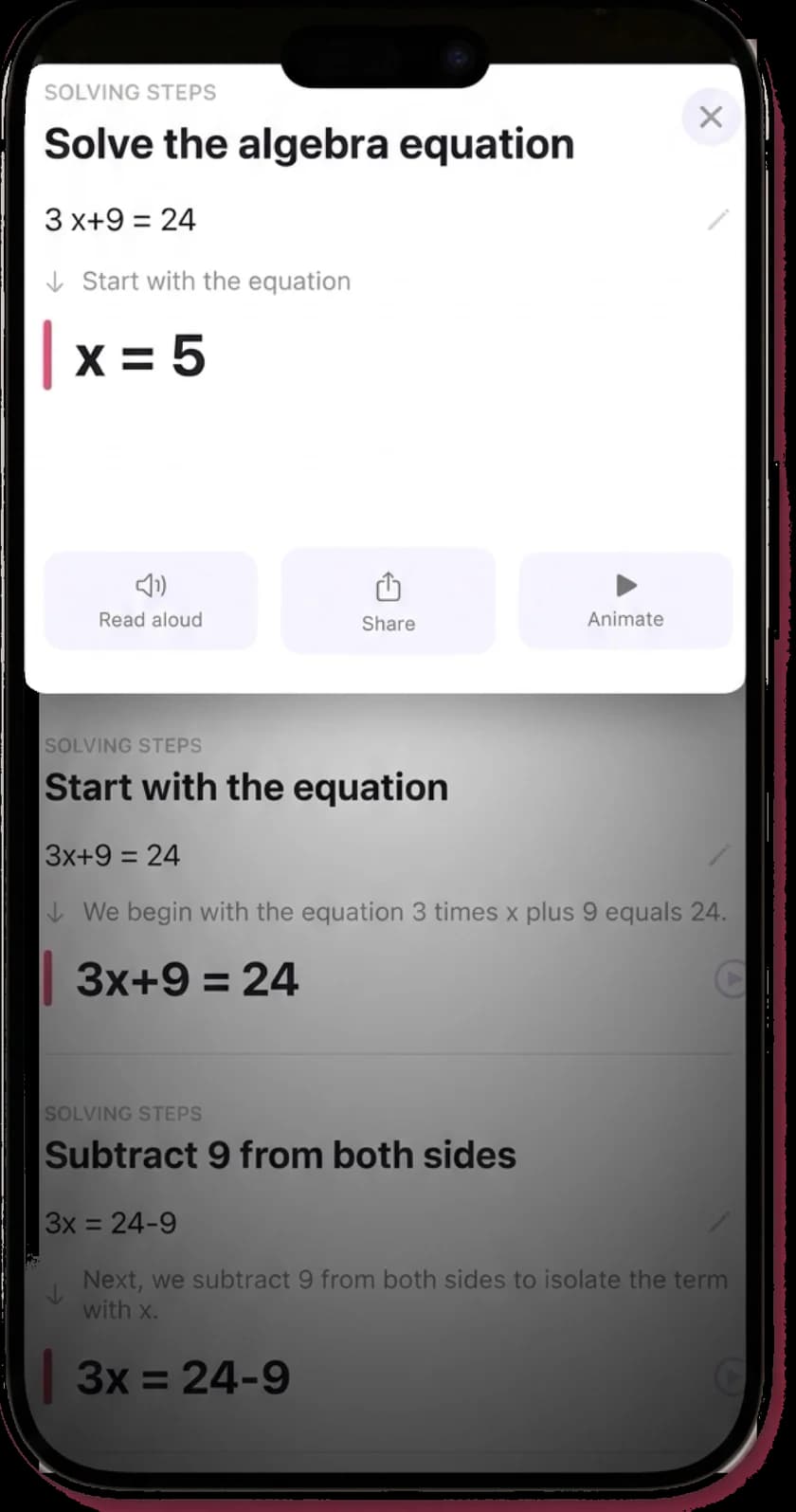
Get step-by-step working
The answer comes first. Every step underneath is named and explained in plain language.
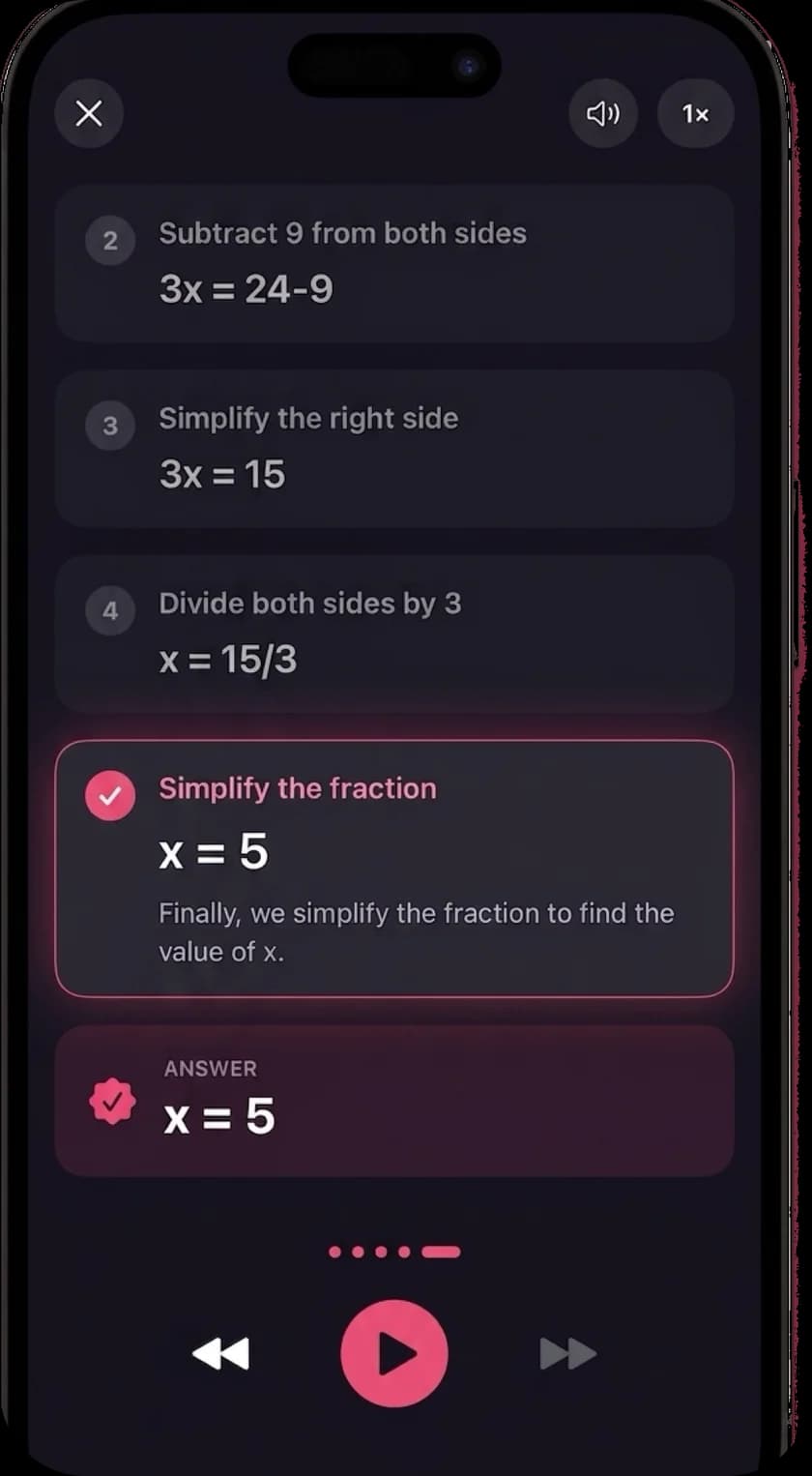
Watch, listen, learn
Play the animated tutorial or have each step read aloud until it clicks.
Animated tutorials
Watch every step play out.
Terms highlight, move and transform on screen, so you see exactly what happens between one step and the next instead of reading about it.
Play and pause whenever you like, and pick a speed from half to double. Slow it down for a new topic, or speed it up when you are revising.
It helps most where a static line hides the movement: terms crossing an equals sign, factoring, or a substitution in calculus.
ANIMATED TUTORIAL
Reading step 2 of 3
“Divide both sides by three…”
Voice narration
Hear it explained aloud.
Turn on voice narration and each explanation is read aloud as you step through it. It uses the voices built into your iPhone.
Listening helps when dense notation gets tiring to read, or when you want to keep your eyes on your own working while you follow along.
Narration follows your language setting automatically.
Your language
Solutions and narration in 19 languages.
MathScans starts in your device language, and you can switch any time in Settings. The solutions are written in that language, not just spoken. You can also choose 3.14 or 3,14 for decimals, to match your class.
Coverage
From arithmetic to calculus.
One app from times tables to first-year calculus. Set the Math level and the explanations are worded for that stage.
Built to teach
An answer you can explain, not just copy.
Most solvers stop at the answer, or list the lines in between. MathScans does one operation per step and says why each one is allowed.
Before a solution is shown, the answer is checked against the original problem. Simple numeric answers are recalculated to catch arithmetic slips.
See a full example on the math solver with steps page, or how the AI math solver works behind it.
The problem as scanned
3x + 9 = 24
Check this matches your page first.
Subtract 9 from both sides
3x = 15
Undo the addition so the x term stands alone.
Divide both sides by 3
x = 5
Undo the multiplication. Doing it to both sides keeps the equation balanced.
Who it is for
Made for the moment you are stuck.
MathScans is for anyone looking at a problem and not sure how to start. That is usually a student, but often a parent at the kitchen table.
The aim is the same for each of them: get past the stuck point, then solve the next problem without the app. Each page below goes deeper for one kind of user.
Students stuck on a step
Read why each line follows from the last, then redo the problem yourself.
Parents helping with homework
Understand a method that changed since school, then explain it in your own words.
Calculus students
Chain rule, product rule and substitution, each rule named on its own line.
Learners in a second language
Solutions written and read aloud in one of 19 languages.
Honest comparison
How MathScans compares.
MathScans is not the only good math solver, and it is not free. If you need a free app, Photomath or Symbolab may be enough.
Our comparison of the best math solver apps covers each one, including where they beat us.
Where MathScans stands out is the explanation. If you care most about understanding each step, that is what to test during the trial.
| App | Free steps? | Where it shines |
|---|---|---|
| Photomath | Yes, basic steps | Free basic steps and a long track record |
| Mathway | No, answers only | Very broad coverage across subjects |
| Symbolab | Yes, basic steps | Typed input and many calculators |
| MathScansours | 3-day trial | Each step explained, animated and read aloud |
Four popular math solver apps and where each one is strongest.
Common questions
- What is MathScans?
- An iPhone app that solves math problems from a photo. You point the camera at a printed or handwritten problem and it returns the answer along with the full working: each step, the operation applied, and a plain-language explanation of why.
- Is MathScans free to try?
- Yes, free for 3 days on the monthly plan. That is long enough to scan your own homework and judge the explanations before you are charged. After the trial it is $9.99 a month or $4.99 a week, cancellable any time in Settings.
- What kinds of math can it solve?
- Arithmetic, fractions, algebra, geometry, trigonometry, pre-calculus, single-variable calculus and basic statistics. Word problems work best when you write the equation out first. It does not graph or cover multivariable calculus.
- Does it read handwriting?
- Yes, along with printed textbooks and worksheets. You review and crop the photo before solving, and every solution opens with the problem as it was read, so a misread is easy to spot.
- Which languages does it support?
- 19, including English, Spanish, French, German, Italian, Portuguese, Dutch, Polish, Russian, Turkish, Arabic, Hindi, Indonesian, Vietnamese, Thai, Japanese, Korean and Chinese. Both the written explanations and the spoken narration follow your chosen language.
- Does MathScans work on Android or iPad?
- There is no Android version. MathScans is an iPhone app and requires iOS 17 or later. It runs on iPad in iPhone compatibility mode, in a smaller window.
- How is MathScans different from Photomath?
- Photomath has a free tier with basic steps and a long track record. MathScans is paid, and is built around explaining each step in plain language, animating it, and reading it aloud in 19 languages. The best test is to scan the same problem in both.
- Can I type a problem instead of scanning it?
- No. Problems come from the camera or a photo in your library. If a problem is only on a screen, take a screenshot and import it, or write it out by hand and scan that.
- Does it work offline?
- No. Reading the photo and solving the problem happen online, so you need a connection. Narration uses the voices built into your iPhone.
- Does MathScans have ads?
- No. There are no ads and no ad networks in the app, and the App Store privacy label declares no tracking. Solved problems are kept in your history for 30 days, then deleted automatically.
- Can I change how simple the explanations are?
- Yes. Choose a Math level during setup or later in Settings: Arithmetic, Basic Algebra, Intermediate Algebra or Calculus. Lower levels use simpler wording with less notation. The math is the same at every level.
- Is using MathScans cheating?
- It depends on how you use it. Copying an answer into homework is copying. Getting stuck, reading the explanation of the step you missed, then redoing the problem yourself is ordinary studying. If you are unsure, ask the teacher setting the work.
- Can MathScans solve word problems?
- It reads the text and math in a photo, so short word problems often work. Longer ones work best if you write out the equation first and scan that, which is also good practice for tests.
- How do I cancel my subscription?
- Subscriptions are billed through your Apple ID. Open Settings on your iPhone, tap your name, then Subscriptions, and choose MathScans. Cancel during the free trial and you will not be charged.
Read more
Algebra solver
Equations, factoring and systems, each step worked and explained.
Calculus solver
A u-substitution integral and a limit, worked line by line.
Best math solver app for iPhone
A five-minute test to run on any app before you pay.
Photo math solver
How a photo becomes a solution, and how to take one that scans first time.
Start solving math today.
Try MathScans free for 3 days on the monthly plan. Cancel anytime.